

What Is an EID on a Phone? How to Find Your EID Number
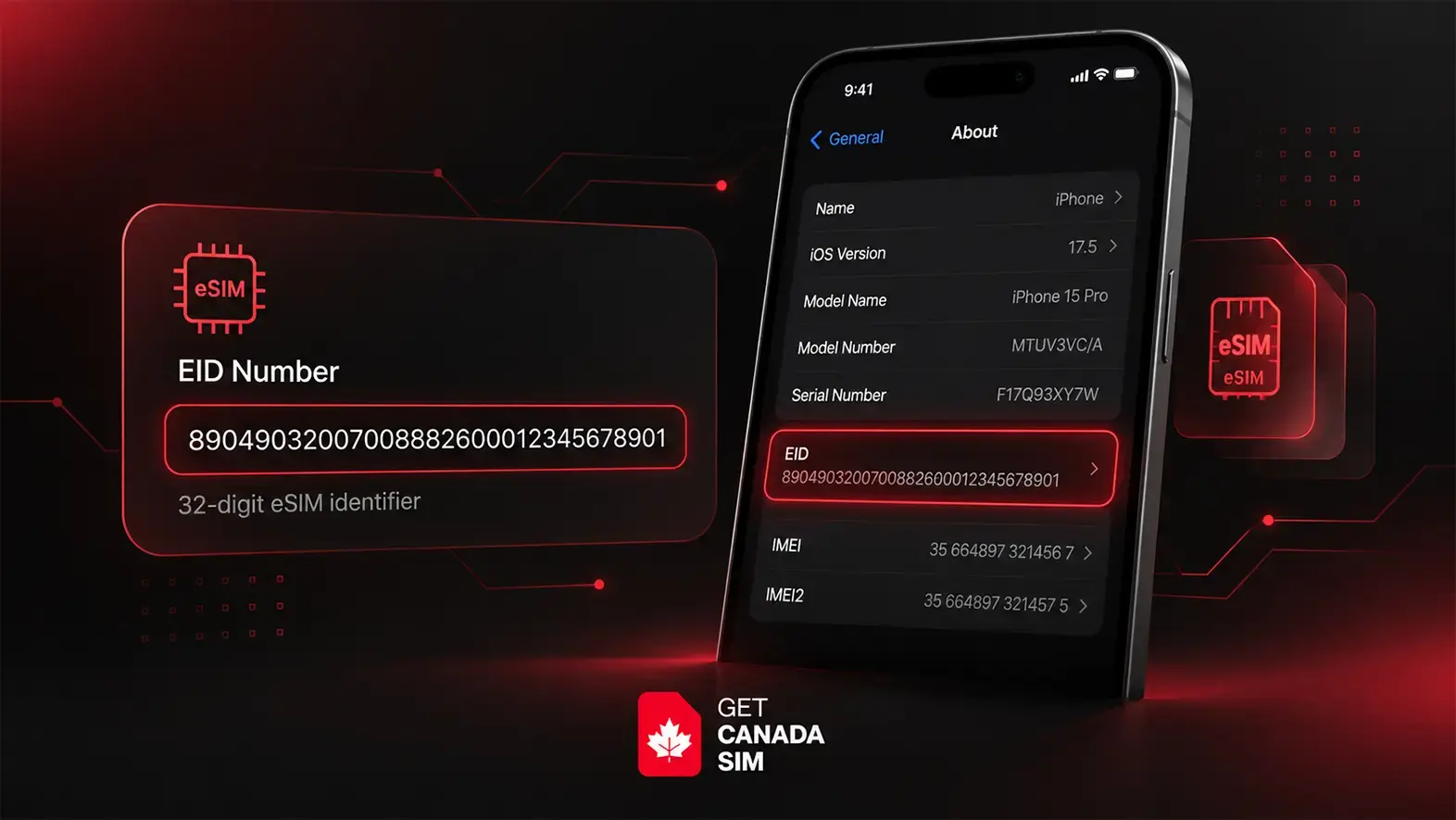
An EID, or eUICC Identifier, is a unique 32-digit number linked to the eSIM hardware inside your phone or other supported device. The term eUICC stands for embedded Universal Integrated Circuit Card, which is the secure chip that stores and manages eSIM profiles. In simple terms, the EID is the unique number used to identify that eSIM chip.
If your phone supports eSIM, you may see something called an EID in its settings.
But what does it mean?
An EID (Embedded Identity Document) is a unique 32-digit identification number linked to the eSIM hardware inside your phone.
In simple terms, the EID is the unique number used to identify that eSIM chip.
If you are new to eSIM, first read what an eSIM is and how it works.
You may need it when setting up an eSIM, speaking with your carrier, or checking whether your phone has eSIM capability.
This guide will help you understand what an EID is, where to find it, and what to do if you cannot see one on your phone.
What Is an EID on a Phone?
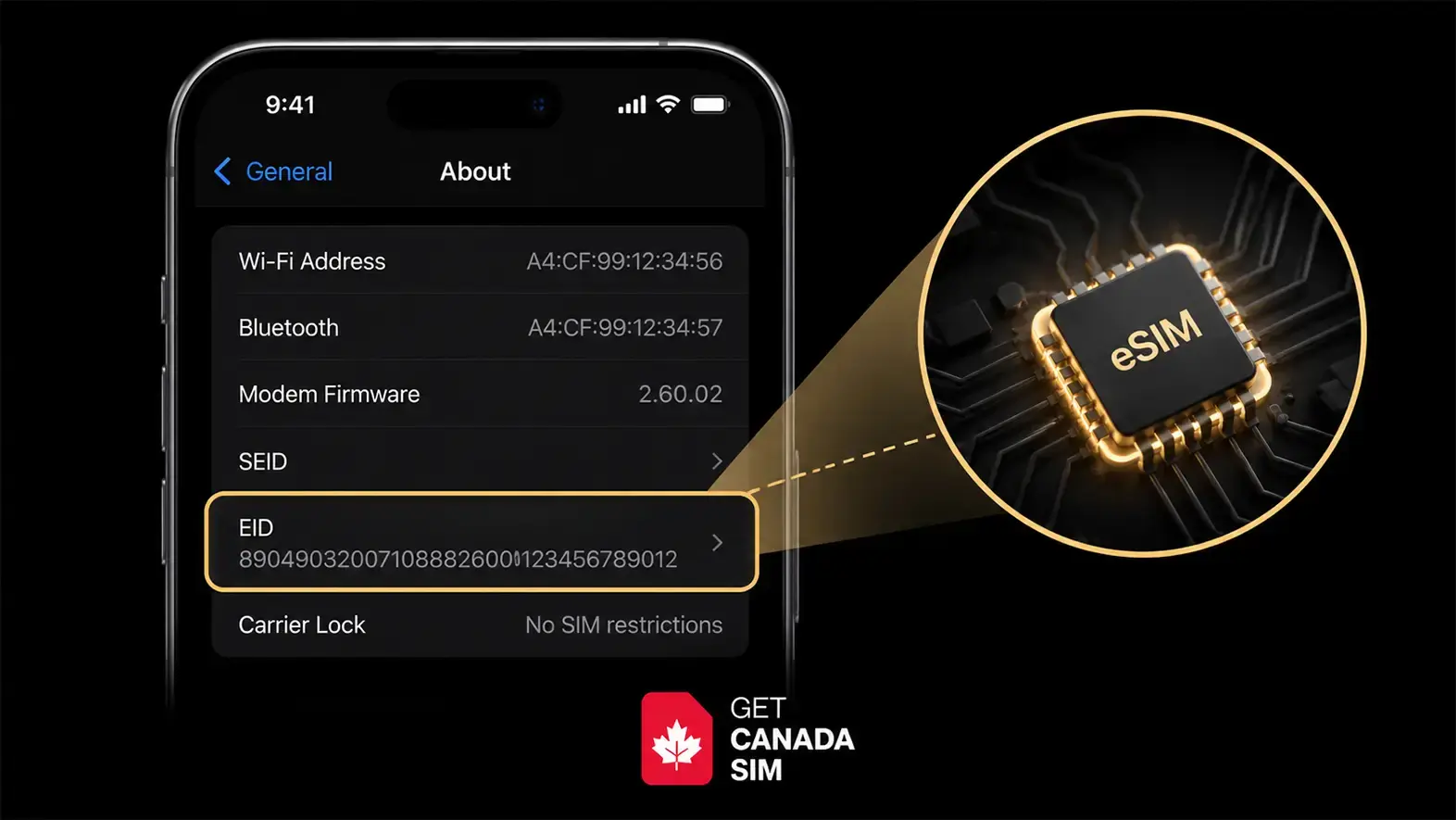
EID stands for eUICC Identifier.
It identifies the part of your phone that stores and manages eSIM profiles.
You normally do not need to remember your EID.
You may need it when:
- Setting up an eSIM
- Troubleshooting an eSIM
- Moving an eSIM
- Contacting your mobile carrier
- Checking your phone's eSIM capability
A simple way to remember it is:
- IMEI identifies your phone
- EID identifies the eSIM hardware
- ICCID identifies a SIM or eSIM profile
Related:
What Is an EID Number?
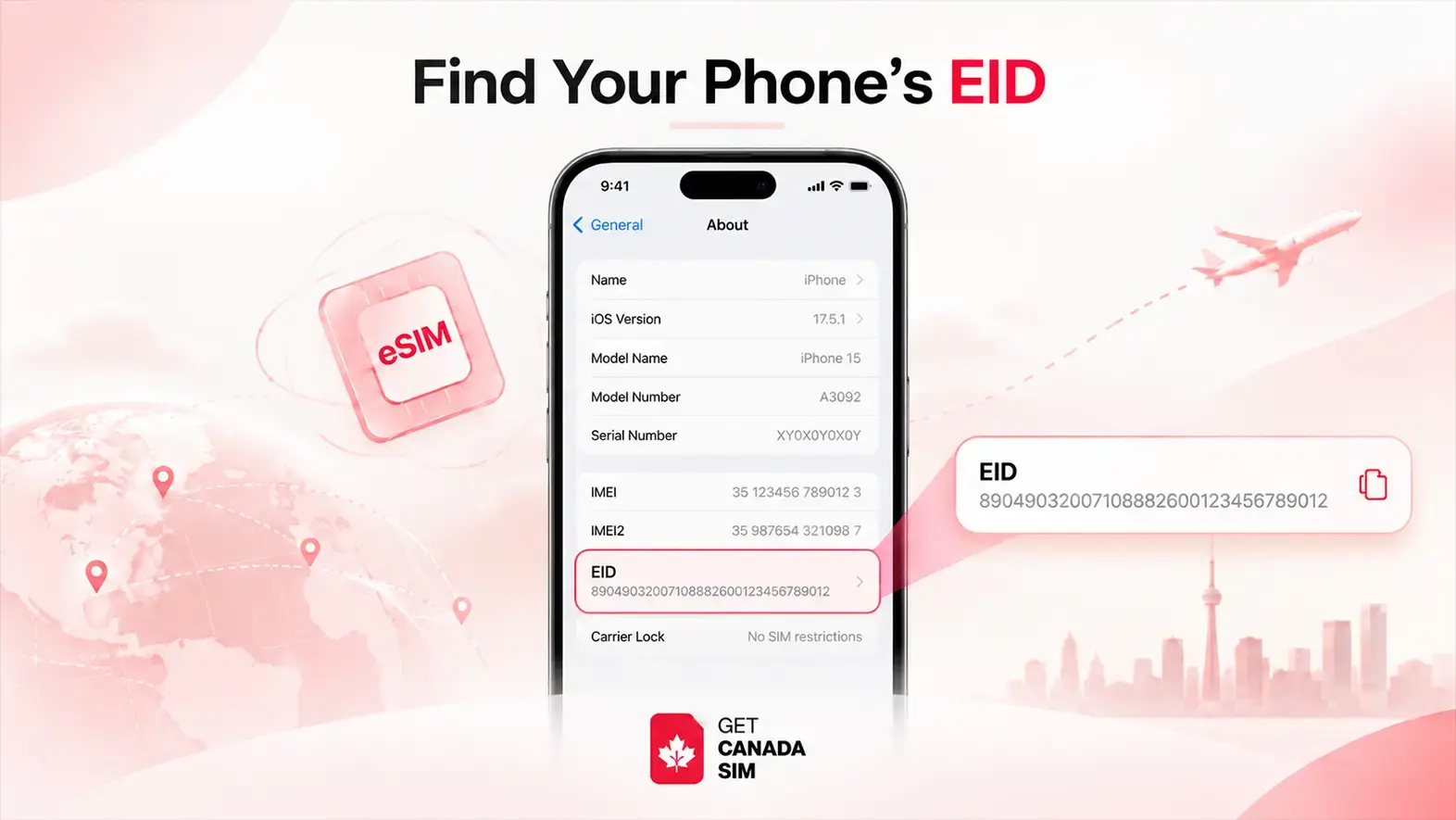
An EID number is a unique number assigned to your phone's eSIM hardware.
It is normally 32 digits long.
Your phone already has this number.
You do not create it yourself.
Your carrier may use the EID to identify the correct eSIM hardware when setting up or managing a mobile plan.
What Does an EID Number Look Like?
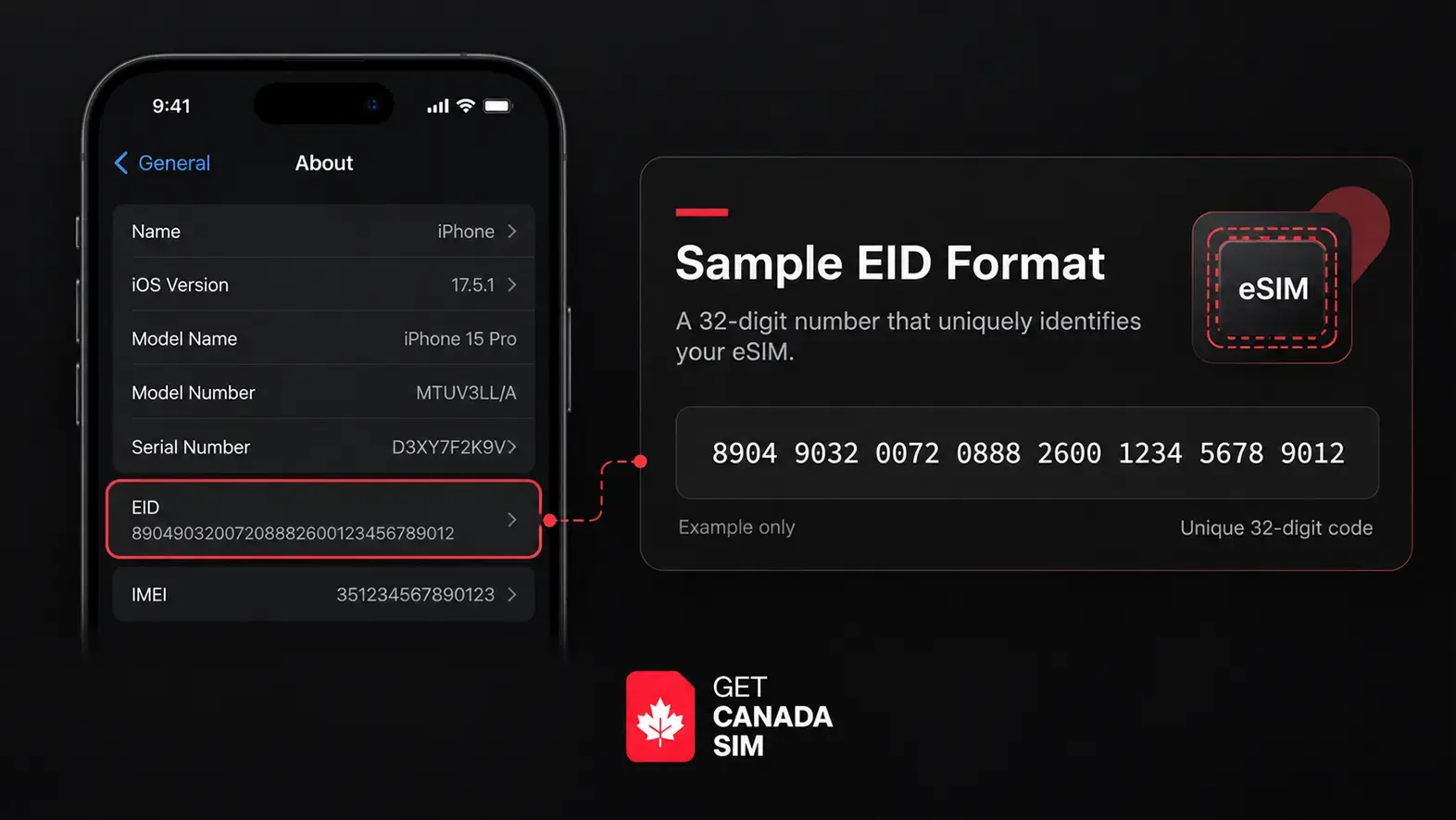
An EID is a long string of numbers.
For example:
89012345678901234567890123456789
This is only a sample.
Do not use it for activation.
Always use the EID shown on your own device.
What Is My EID Number on My Phone?
Your EID can usually be found inside your phone's settings.
The exact location depends on your device. Besides, the easiest way to find it is through your phone settings.
The steps depend on whether you use an iPhone, Samsung, Google Pixel, or another Android phone.
If you are mainly trying to find out whether your device can use eSIM, you can also check the full eSIM compatible devices list.
How to Find EID Number on iPhone
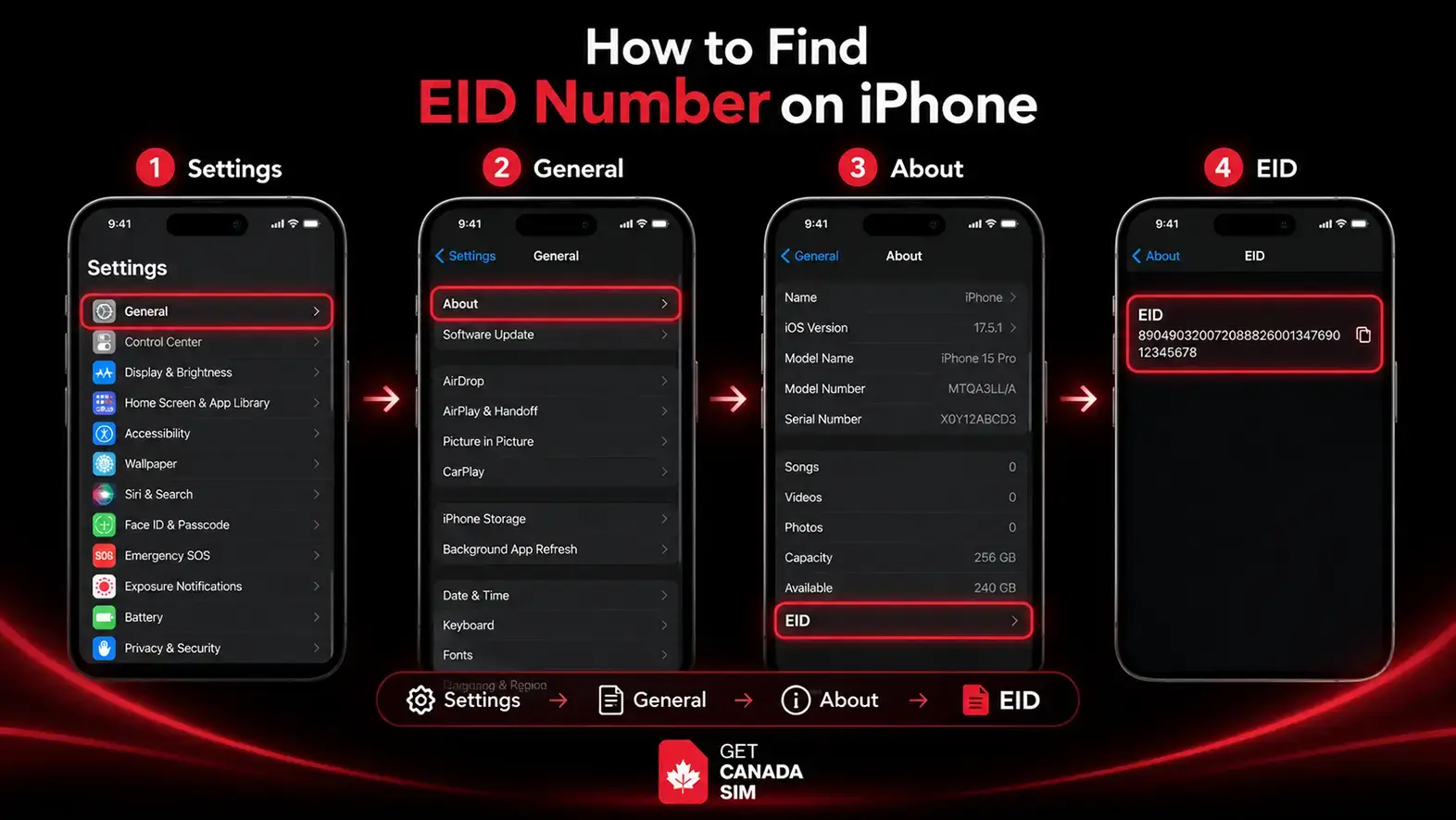
On an iPhone:
- Open Settings
- Tap General
- Tap About
- Scroll down
- Look for EID
Settings → General → About → Scroll down → EID
You should see a long number beside EID.
That is your device's EID number.
Can I Copy My EID on iPhone?
On many iPhones, you can press and hold the EID number to copy it.
This is useful if your carrier asks you to provide it.
It also reduces the chance of typing the number incorrectly.
What If My iPhone Does Not Show an EID?
First, make sure you are checking:
Settings → General → About
If you still cannot find it, check your exact iPhone model.
Also check where the phone was originally sold.
Some device features can vary by model or region.
If you are checking eSIM compatibility, do not rely only on the phone name.
Check the exact model as well.
What Is an EID on a Samsung Phone?
On a Samsung phone, the EID identifies the device's eSIM hardware.
You may need this number when setting up an eSIM or contacting your carrier.
Not every Samsung phone supports eSIM.
Support can also vary between models and regions.
That is why checking the EID can be useful.
How to Find EID Number on Samsung
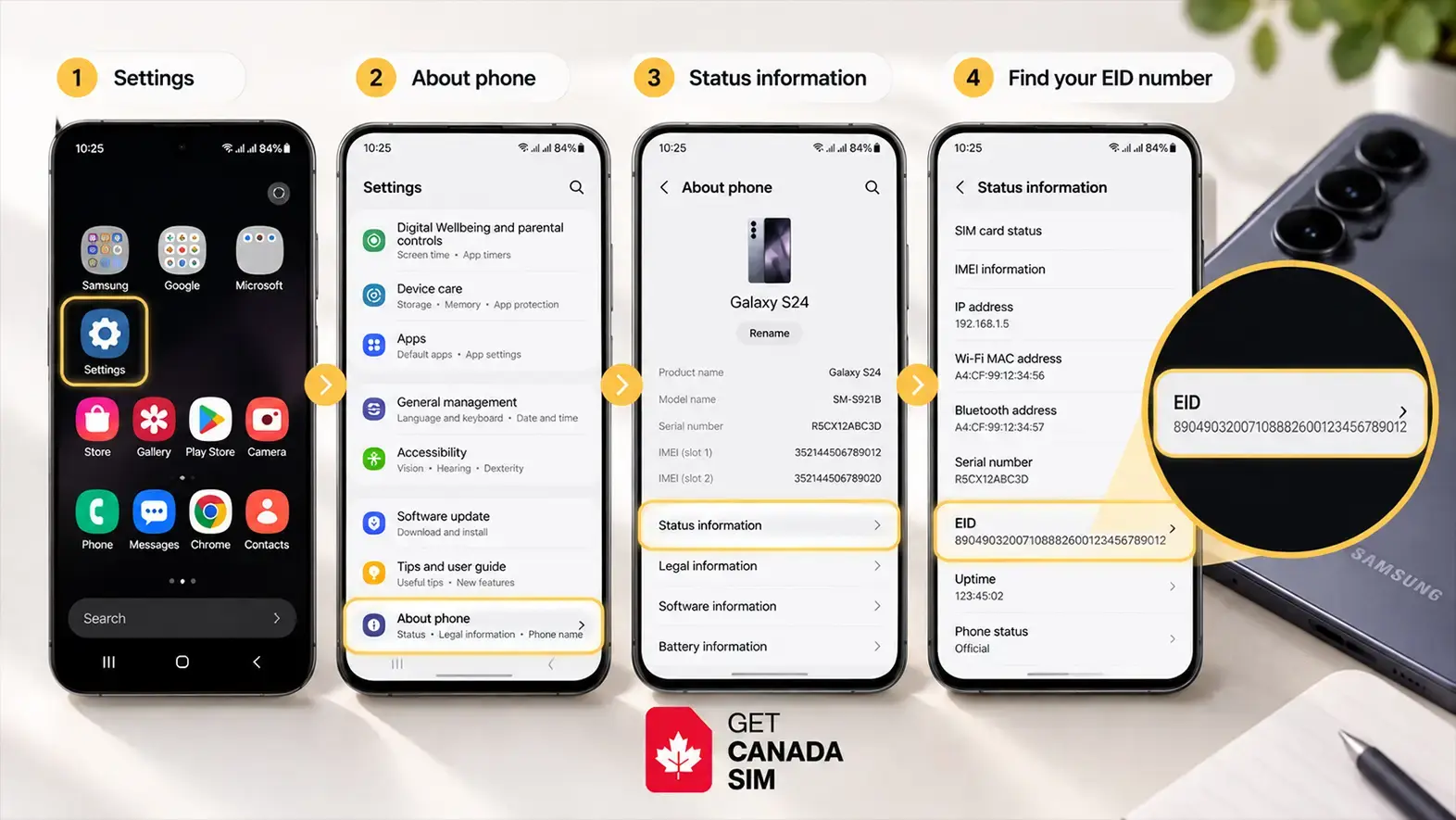
Try this route first:
Settings → About phone → Status information
Then look for:
EID
You can also try:
*#06#
On supported devices, this screen may show:
- IMEI
- IMEI2
- EID
If the dial code does not show your EID, use the Settings menu instead.
Why Can't I Find EID on My Samsung Phone?
There are several possible reasons.
| Possible reason | What to do |
|---|---|
| Your phone does not support eSIM | Check your exact model |
| Your regional model differs | Check where the phone was sold |
| EID is in another menu | Search Settings for “EID” |
| Dial code does not show it | Check About phone |
| You are unsure about compatibility | Check the model with your carrier |
Do not assume every Samsung phone with the same product name has identical eSIM support.
The exact model matters.
What Is an EID on an Android Phone?
The meaning is the same on Android.
The EID identifies the eSIM hardware inside the device.
The main difference is where you find it.
Android phones are made by many companies.
These include:
- Samsung
- Motorola
- Xiaomi
- OnePlus
- Nothing
Each manufacturer may use a different Settings menu.
How Can I Find My Device's EID Number on Android?
Start with:
Settings → About phone
Then look for options such as:
- Status
- Status information
- SIM status
- Device information
- EID
Another easy option is to search your Settings app.
Search for:
EID
If your phone has an EID entry, open it.
How to Find EID on Google Pixel
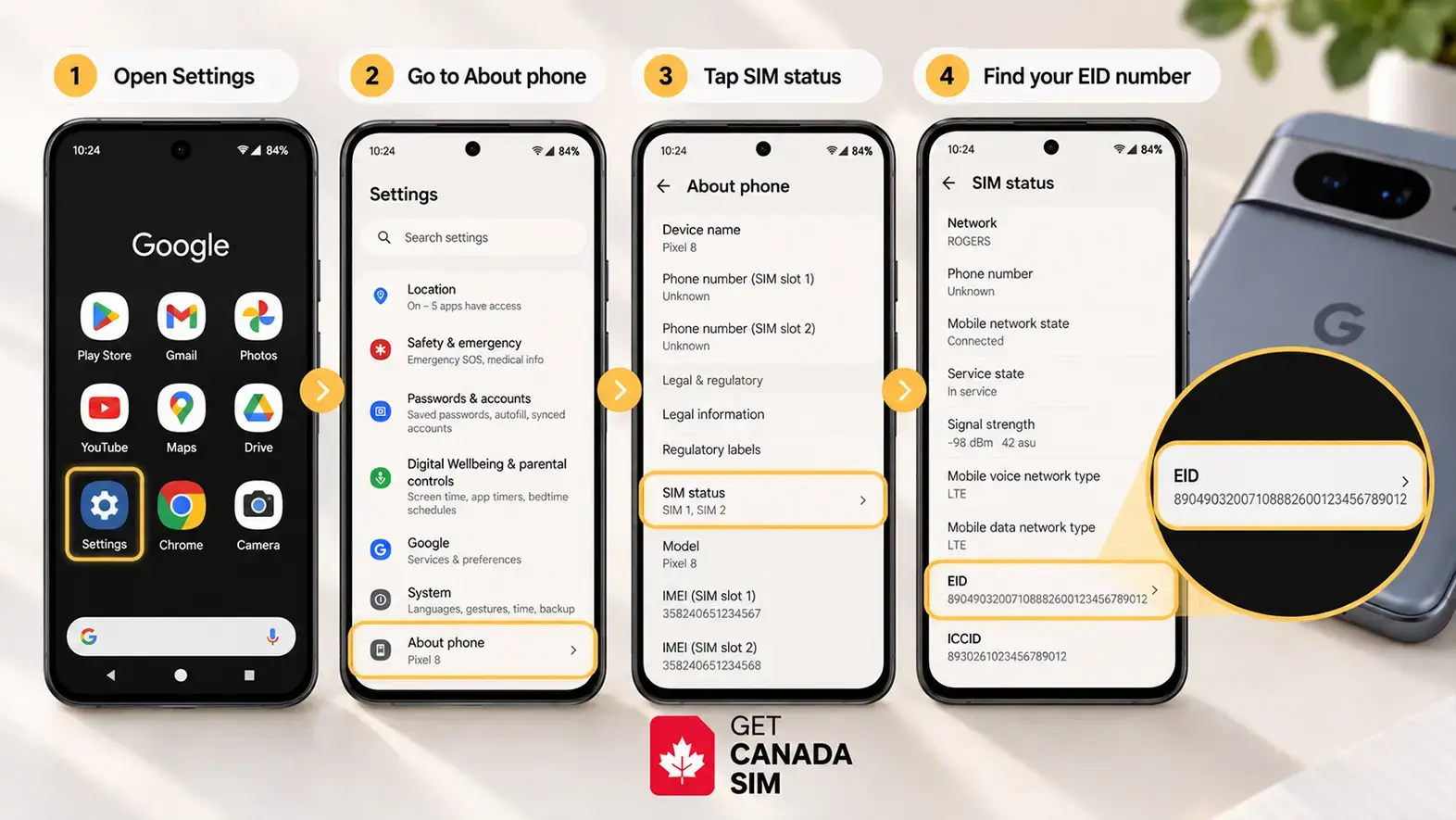
On a Google Pixel, start by opening:
Settings → About phone
Look through the device or SIM information.
You can also search Settings for:
EID
The exact menu can change depending on your Android version.
EID Number Check: Does Having an EID Mean My Phone Supports eSIM?
Finding an EID is a strong sign that your phone has eSIM hardware.
But it does not always mean that every eSIM plan will work on your phone.
You should still check:
- Your exact phone model
- Your regional model
- Whether the phone is carrier locked
- Whether your chosen carrier supports the device
- Whether eSIM is enabled for that model
The simple rule is:
EID found → your phone likely has eSIM hardware
But you should still confirm carrier and device compatibility before buying a plan.
Why Can't I Find an EID Number on My Phone?
If you cannot find an EID, do not assume your phone is damaged.
There are several possible explanations.
Your Phone May Not Support eSIM
Phones without eSIM hardware may not show an EID.
Check the exact model number.
Do not rely only on the product family.
For example, knowing that you have a “Galaxy A-series” phone is not enough.
You need the exact model.
Your Phone May Be a Different Regional Version
The same phone model can sometimes have different features in different regions.
This is especially important with Android phones.
A model sold in one country may support eSIM while another version may not.
Check the full model number before buying an eSIM.
You May Be Looking in the Wrong Menu
Use your phone's Settings search.
Search for:
EID
You can also check:
Settings → About phone
or:
Settings → About phone → Status
Your Software May Need Updating
If your device should support eSIM but the option is missing, check for software updates.
Update the phone.
Restart it.
Then check again.
EID vs IMEI vs ICCID: What Is the Difference?
These numbers can look confusing.
But each one has a different purpose.
| Identifier | What it identifies | Common use |
|---|---|---|
| EID | eSIM hardware | eSIM setup and management |
| IMEI | Your mobile device | Device and network identification |
| ICCID | SIM or eSIM profile | SIM identification |
The easiest way to remember them:
IMEI = phone
EID = eSIM hardware
ICCID = SIM profile
Is EID the Same as IMEI?
No.
They identify different things.
The IMEI identifies your phone.
The EID identifies the eSIM hardware inside your phone.
Your phone may show several numbers, including:
- IMEI
- IMEI2
- EID
- ICCID
This is normal.
Is EID the Same as an eSIM Number?
Not exactly.
The EID identifies the hardware that stores eSIM profiles.
An individual eSIM profile has its own identifiers.
Your phone can support different eSIM profiles while still keeping the same EID.
Can I Use My EID to Activate an eSIM?
Your carrier may ask for your EID during eSIM activation.
But the EID alone normally does not activate a plan.
Your provider may also use:
- A QR code
- Automatic installation
- An activation code
- A carrier app
- Manual eSIM details
If your provider asks for an EID, use the number from your own phone.
However, if you want to understand the complete process, see how eSIM activation works, and you may also find our iPhone eSIM activation guide useful.
Is It Safe to Share My EID Number?
Treat your EID as private device information.
It is not the same as a password.
But there is usually no reason to post it publicly.
Only share it when needed with a trusted carrier or support team.
Avoid publicly sharing screenshots that contain:
- EID
- IMEI
- ICCID
- Activation QR codes
- Account information
I Found My EID. What Should I Do Next?
Finding your EID is useful if you are trying to use an eSIM.
But there are still a few things to check.
Check Your Exact Phone Model
Do not stop at:
“iPhone”
“Samsung Galaxy”
“Pixel”
Find the exact model number.
Check the Regional Version
A phone's eSIM features can vary by country or region.
Check Whether Your Phone Is Carrier Locked
A phone may have eSIM hardware but still be locked to another carrier.
Check Carrier Compatibility
Your carrier must support your phone and its eSIM setup.
Check the Activation Method
Your provider may use:
- QR code
- Automatic activation
- Activation code
- Carrier app
Shortcut:
Before choosing an eSIM, check:
Phone model → Regional version → Carrier lock → eSIM support → Carrier compatibility
If your phone passes those checks, you can then compare Canadian SIM and eSIM plans.
If you are specifically looking for a Canadian eSIM, you can also see how a Canada eSIM works before arrival
Frequently Asked Questions
What is an EID on a phone?
An EID is the unique identifier linked to your phone's eSIM hardware. It can be used during eSIM setup, management, or troubleshooting.
What is an EID on an iPhone?
It identifies the eSIM hardware inside your iPhone.
You can normally find it under:
Settings → General → About
What is an EID on a Samsung phone?
It identifies the eSIM hardware in a supported Samsung device.
Try:
Settings → About phone → Status information
What is an EID on an Android phone?
It is the identifier for the eSIM hardware inside an Android device.
The location of the number depends on the manufacturer.
How can I find my device's EID number?
Open your phone's settings and look under About phone or About device.
You can also search Settings for EID.
How many digits are in an EID number?
An EID is normally 32 digits long.
Does every phone have an EID?
No.
EID is linked to eSIM hardware.
A phone without eSIM capability may not have an EID.
If my phone has an EID, does it support eSIM?
Finding an EID strongly suggests that the phone has eSIM hardware.
You should still check the exact model, regional version, carrier lock, and carrier compatibility.
Why do I have an IMEI but no EID?
IMEI and EID serve different purposes.
Your IMEI identifies your phone.
An EID is specifically linked to eSIM hardware.
If you cannot find an EID, check whether your exact model supports eSIM.
Can I check eSIM compatibility using my EID?
The EID can help confirm that eSIM hardware exists.
But it should not be your only check.
Confirm your exact model and carrier compatibility before choosing an eSIM.
Found Your EID? Check Your Phone Before Choosing an eSIM
Finding your EID is a good first step.
Now check:
Phone model → regional version → carrier lock → eSIM support → carrier compatibility
This can help you avoid choosing an eSIM that your phone cannot use.
Next step: Check your phone's eSIM compatibility before comparing plans.
Follow Get Canada Sim on Google
Make Get Canada Sim a preferred source to find our latest Canada SIM and eSIM guides in Google Search.