

How to Check If My Phone Is Unlocked in Less than a Minute: iPhone, Samsung & Android
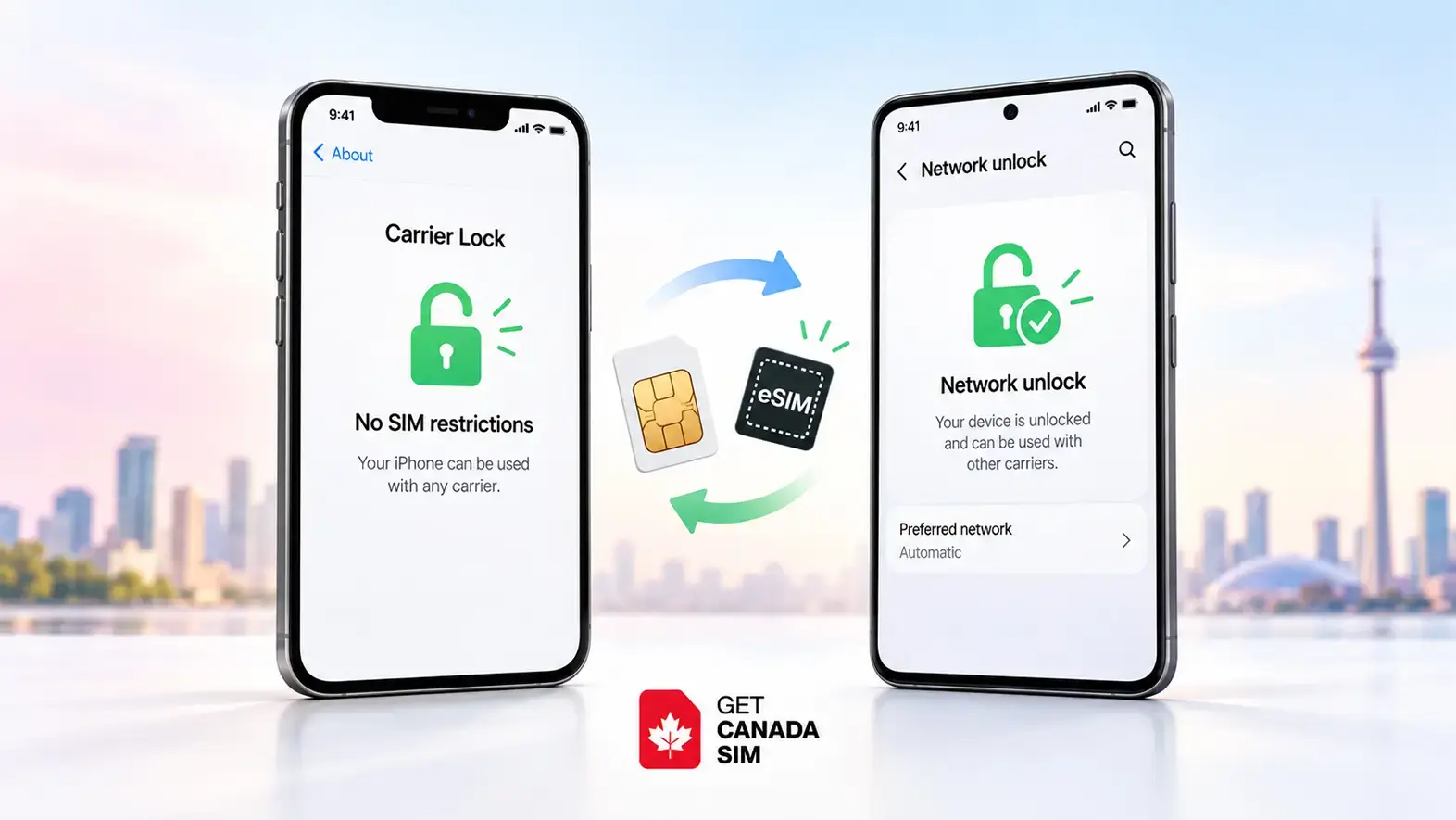
If you want to know whether your phone is unlocked, the quickest method depends on the phone you have.
On an iPhone:
Go to Settings → General → About → Carrier Lock. If it says “No SIM restrictions,” your iPhone is unlocked and can use another compatible carrier. Apple recommends this method directly.
On a Samsung phone:
On supported models, go to Settings → Connections → More connection settings → Network unlock. Check Network lock status. Samsung notes that the exact options can vary by carrier.
On other Android phones:
There may not be one universal unlock-status screen. The most practical test is to insert an active SIM from a different carrier—or install another carrier's eSIM—and see whether the phone connects.
For any phone:
Testing an active SIM from another carrier is one of the clearest practical checks. If calls or mobile data work, the phone is not locked to your original carrier.
If you are checking this because you want to use a Canadian SIM or eSIM, confirm both that the phone is unlocked and that it supports the SIM technology you want. GetCanadaSIM has a separate guide to check whether your phone supports eSIM.
Phone unlocked? Find out in about a minute
Use this table before trying anything complicated.
| Your phone | Fastest check | What confirms it |
|---|---|---|
| iPhone | Settings → General → About → Carrier Lock | No SIM restrictions |
| Samsung Galaxy | Settings → Connections → More connection settings → Network unlock, if available | Network lock status shows unlocked |
| Other Android | Try an active SIM/eSIM from another carrier | It connects to the other carrier |
| Any phone with unclear status | Contact the carrier that originally sold it | Carrier confirms unlock status |
| Used phone | Check carrier lock and IMEI blacklist status | Both checks pass |
Being unlocked does not automatically mean your phone will work with every network. The phone still needs compatible frequency bands, SIM/eSIM support, and carrier compatibility.
Before travelling to Canada, you can also review current Canadian SIM and eSIM plans after confirming that your device can accept another carrier.
How to check if an iPhone is unlocked
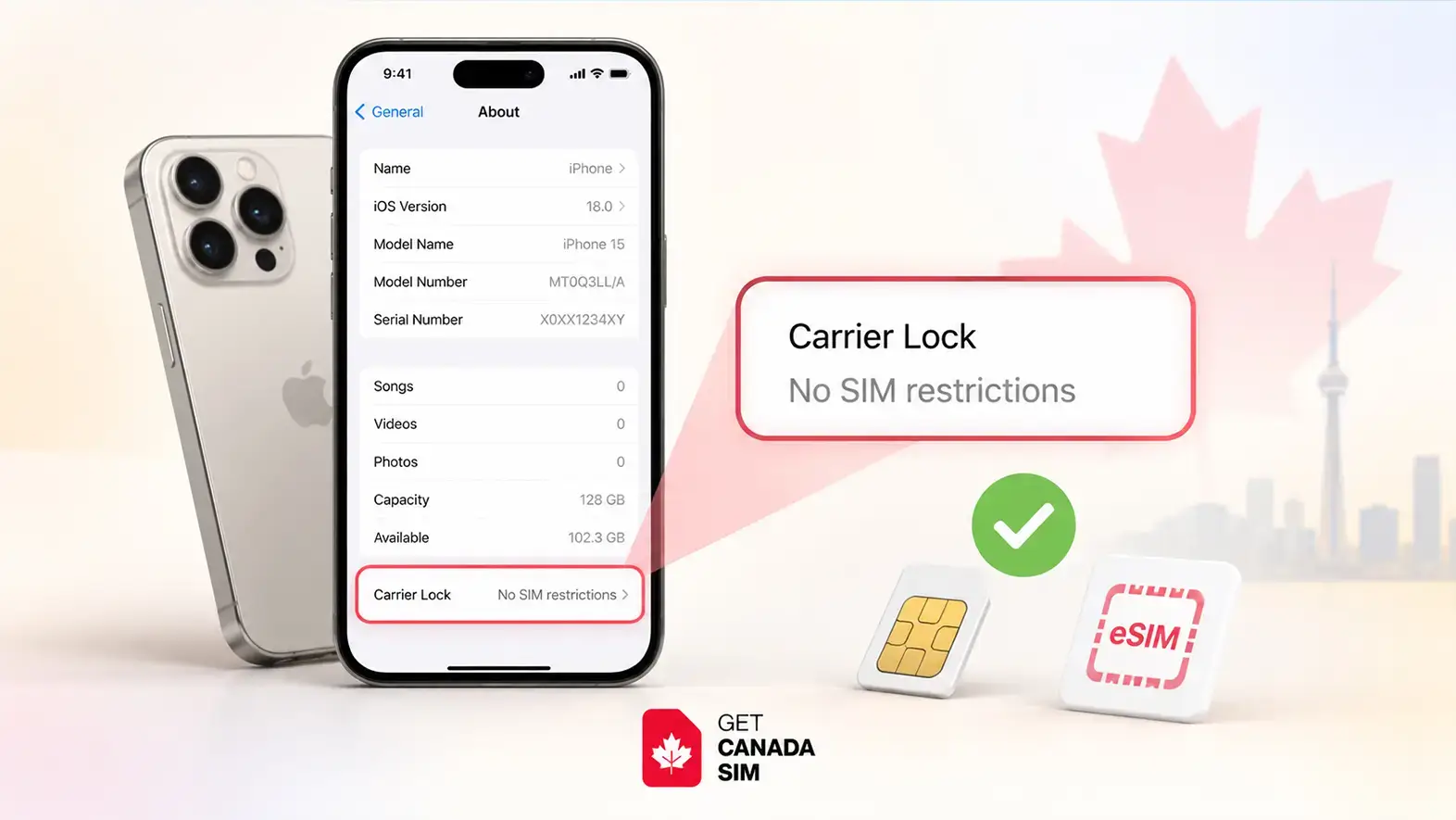
For an iPhone, you normally do not need an IMEI website, another SIM card, or an app.
Method 1: Check Carrier Lock in Settings
- Open Settings.
- Tap General.
- Tap About.
- Scroll to Carrier Lock or Service Provider Lock.
- Read what appears beside it.
If you see:
No SIM restrictions → the iPhone is carrier-unlocked.
If it shows that the device is SIM locked or restricted to a carrier → contact that carrier about unlocking it.
Apple specifically uses “No SIM restrictions” as the indicator that an iPhone is unlocked.
So if you are asking “How do I know if my iPhone is unlocked?”, this should be your first test.
Method 2: Try another carrier's SIM or eSIM
You can also verify the result using another active mobile service.
For a physical SIM:
- Turn off the iPhone.
- Remove the current SIM.
- Insert an active SIM from another carrier.
- Turn the phone back on.
- Wait for the network to appear.
- Try a call, text, or mobile data.
For an eSIM, the phone must also support eSIM. If you are unsure about that part, see GetCanadaSIM's eSIM-compatible phone list.
If another carrier works normally, you have practical confirmation that the phone is unlocked.
Do not treat an eSIM installation failure alone as proof that the phone is locked. An eSIM can also fail because of device compatibility, an incorrect activation code, carrier provisioning, or a regional device variant.
If you later need help installing one, see how to activate an eSIM on iPhone.
How to check if a Samsung phone is unlocked
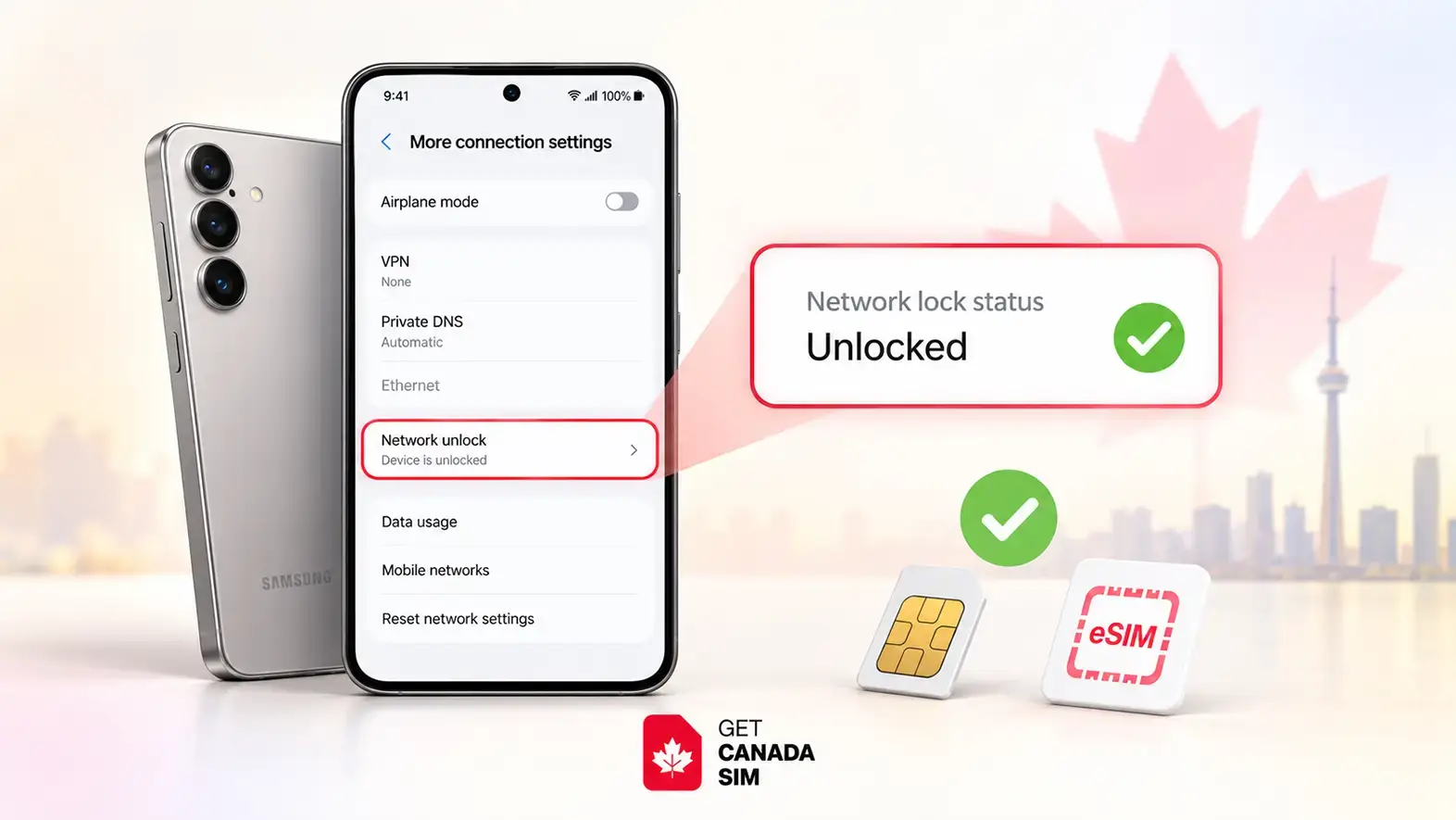
Samsung phones are slightly different because available menus can depend on the model, country, software version, and carrier.
Method 1: Look for Network unlock
On Samsung Galaxy phones where the option is available:
Settings → Connections → More connection settings → Network unlock
Samsung says this section can show options such as:
- Network lock status
- Permanent unlock
- Temporary unlock
The exact choices can vary by carrier.
If Network lock status shows the device is unlocked, you should be able to use another compatible carrier.
How to check a Samsung phone without another SIM
If you searched for a way to check whether a Samsung phone is unlocked without a SIM, the Network unlock menu above is the best place to start when your device provides it.
If that menu does not exist, do not assume the phone is either locked or unlocked. Some Samsung versions simply do not expose the same status screen.
In that case, use one of these methods:
- contact the carrier that originally supplied the phone;
- check the carrier's account or device-unlock service;
- test another carrier's SIM when one is available.
If Samsung says “Network locked”
A Samsung network lock means the phone may be restricted to the carrier that originally supplied it.
Samsung advises users with carrier network locks to contact the original carrier or retailer for unlocking instructions.
Be careful not to confuse this with a SIM PIN. A SIM PIN protects the SIM card itself. A carrier or network lock restricts which carrier the phone can use.
How to check if an Android phone is unlocked
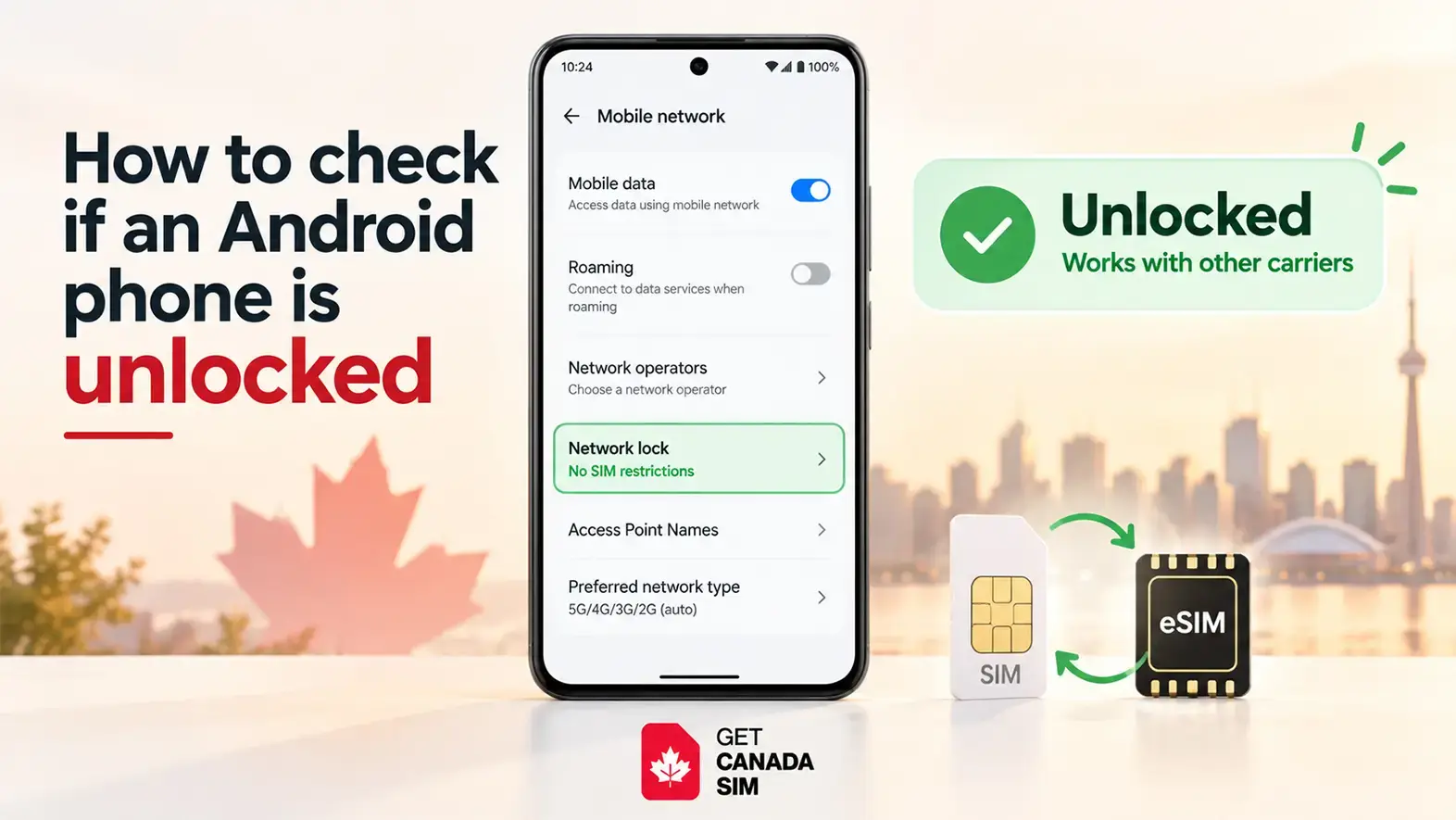
There is no single method that works on every Android phone.
Samsung, Google Pixel, Motorola, Xiaomi, OnePlus and other manufacturers can use different menus, and carrier-specific Android versions can add or remove unlock settings.
The safest practical method is:
Test another carrier
- Make sure the second SIM is active.
- Turn off the phone if you are changing a physical SIM.
- Insert the SIM from another carrier.
- Restart the phone.
- Wait a few minutes.
- Try mobile data or make a call.
If the second carrier works, the phone is unlocked for that carrier.
If you receive messages such as:
- SIM not supported
- Network locked
- Enter network unlock code
- SIM network unlock PIN
the device may still be carrier-locked.
Google also explains that a SIM-locked Pixel can use mobile service only with the carrier to which it is locked until that restriction is removed.
What about checking Network operators?
Some guides suggest:
Settings → Network & internet/Connections → Mobile network → Network operators
and then checking whether several networks appear.
That can be a useful clue, but it is not a reliable unlock test by itself.
A phone may be able to detect nearby networks while still being unable to register on them. Testing an active SIM from another carrier or obtaining confirmation from the original carrier is stronger evidence.
The most reliable test: use another carrier's SIM
If the Settings menus are unclear, this is the test we recommend most often.
Imagine your current phone uses Carrier A.
Take an active SIM from Carrier B and insert it into the phone.
If the phone connects
If Carrier B appears and you can make a call or use mobile data, the phone is not restricted to Carrier A.
If the phone does not connect
Do not immediately assume it is locked.
Check for:
- an inactive SIM;
- poor coverage;
- incorrect APN settings;
- incompatible network frequencies;
- a blacklisted IMEI;
- SIM/eSIM provisioning problems;
- regional device restrictions.
A failed connection has several possible causes.
This matters particularly when preparing for another country. A phone can be unlocked but incompatible with the network you are trying to use.
GetCanadaSIM explains the difference between eSIM and physical SIM for people coming to Canada.
Does IMEI tell if your phone is unlocked?
Not by itself.
Your IMEI, or International Mobile Equipment Identity, identifies the mobile device. It is not a simple built-in “locked/unlocked” indicator.
Some carriers or device databases can use an IMEI to retrieve information about a phone, and a carrier may ask for the IMEI when processing an unlock request. But knowing the IMEI number alone does not tell you whether the phone is carrier-unlocked.
That is why searching for a free IMEI checker online is usually not the first step we recommend when your only question is whether the phone is network-unlocked.
For an iPhone, check Carrier Lock first.
For Samsung, check Network unlock if available.
For other Android devices, test another carrier or ask the original carrier.
What does *#06# do to your phone?
Dial:
*#06#
On most phones, this displays identification numbers such as the phone's IMEI.
It does not unlock the phone.
It does not change any settings.
And seeing an IMEI after dialing *#06# does not confirm that the phone is carrier-unlocked.
DeviceCheck Canada also documents *#06# as a way to retrieve the IMEI.
How to check if your phone is unblocked
This is where the wording becomes confusing.
Carrier-unlocked and unblocked can mean different things.
| Status | Meaning |
|---|---|
| Carrier unlocked | Phone can use another compatible carrier |
| Carrier locked | Phone is restricted to a particular carrier |
| IMEI unblocked | Device has not been blocked by participating networks |
| IMEI blacklisted | Device may have been reported lost or stolen and blocked |
| SIM locked | SIM itself may require a PIN |
| Screen locked | Phone requires PIN, password, Face ID, fingerprint, etc. |
If by “unblocked” you mean that the phone has not been reported lost or stolen, you need an IMEI blacklist check, not a carrier-unlock check.
Checking an IMEI in Canada
For a second-hand phone you intend to use in Canada, DeviceCheck.ca provides access to Canada's database of devices reported lost or stolen.
A device on the blacklist may not work on participating Canadian networks.
This is especially useful when buying a used phone.
But remember:
A clean IMEI does not prove that a phone is carrier-unlocked.
And:
An unlocked phone can still have a blacklisted IMEI.
Check both when buying a used device.
Can I check if my phone is unlocked using its IMEI for free?
Sometimes a carrier offers an official device or IMEI lookup, but there is no universal IMEI test that should replace the phone's own lock-status screen or confirmation from the carrier.
Be cautious with random websites promising a free IMEI unlock check.
An IMEI may be useful for checking:
- lost/stolen blacklist status;
- device model information;
- carrier eligibility;
- network compatibility;
- an unlock request with the original carrier.
But these are separate questions.
For Canadian lost/stolen status, use an established source such as DeviceCheck rather than assuming an unknown “IMEI checker online free” service is authoritative.
Can a phone support eSIM but still be locked?
Yes.
These are two completely different checks.
eSIM compatible means the hardware and software can use an eSIM.
Carrier unlocked means another carrier is permitted to provide service on that phone.
An iPhone, Samsung Galaxy or Pixel may support eSIM perfectly while still being locked to the original carrier.
This is one reason people sometimes buy a travel eSIM and only discover during installation that their phone cannot use another carrier.
A recent travel discussion on Reddit shows exactly this problem: a traveller had a phone that supported eSIM but discovered the carrier restriction while preparing to use another eSIM abroad. Similar questions appear repeatedly in travel communities. These experiences are anecdotal, but they illustrate why checking the carrier lock before departure is useful.
If you are preparing for Canada, check these in this order:
- Is the phone carrier-unlocked?
- Does the phone support eSIM or the physical SIM you want?
- Is the exact model compatible with the Canadian network?
- Is the IMEI clean if the phone is second-hand?
- Only then choose a mobile plan.
You can see how GetCanadaSIM activation works once those device checks are complete.
My phone says unlocked, but the new SIM still doesn't work
An unlocked status eliminates one possible problem. It does not eliminate every possible problem.
Check these next.
1. Is the new SIM active?
A SIM that has not been activated cannot connect normally.
2. Does the phone support the carrier's network?
Phones sold in different countries can support different LTE and 5G bands.
3. Are the APN settings correct?
APN settings tell the phone how to connect to the carrier's mobile-data network.
4. Is the IMEI blacklisted?
This matters especially with used phones.
5. Is it a SIM problem rather than a phone problem?
Try the SIM in another compatible phone if possible.
6. Does the phone have a regional restriction?
Some devices are sold with region-specific restrictions or configurations.
7. Is eSIM actually supported on your exact model?
Do not rely only on the model family. Regional versions can differ.
For example, GetCanadaSIM's iPhone 12 eSIM guide explains why the country or region where a phone was sold can matter.
Can I unlock my phone myself?
Sometimes—but the carrier normally has to authorize the unlock.
iPhone
Apple says it cannot carrier-unlock an iPhone for you. The carrier must authorize the unlock.
Contact the carrier that locked the phone and ask about its eligibility requirements.
Samsung
Some carrier versions provide Permanent unlock or Temporary unlock inside the Network unlock menu.
If those options are unavailable or the request is rejected, contact the original carrier.
Other Android phones
The process depends on the carrier and device.
You may encounter:
- a carrier unlock app;
- an unlock option in Settings;
- an unlock code;
- an online carrier request;
- customer support verification.
Avoid unofficial software that claims it can bypass a carrier restriction. Carrier locking is not the same thing as changing an Android setting.
What if I bought the phone in Canada?
Canada has specific consumer protections around device unlocking.
The CRTC Wireless Code says devices supplied by wireless service providers must be provided unlocked. If a device is or becomes locked to a provider's network, the provider must unlock it or provide the means to unlock it upon request at no charge.
That does not mean a phone purchased in another country follows Canadian unlocking rules.
If you are bringing a phone to Canada from abroad, check the rules of the carrier and country where the device was originally purchased.
Check this before flying to Canada
If you are planning to put a Canadian SIM or eSIM into your existing phone, do these checks while you are still at home.
Before departure checklist
- Check whether the phone is carrier-unlocked
- Check whether it supports eSIM, physical SIM, or both
- Confirm your exact phone model
- Check Canadian network compatibility
- Check the IMEI if the device was purchased second-hand
- Keep your original carrier's contact details
- Do not delete your working SIM/eSIM unnecessarily
- Choose your Canadian plan only after confirming compatibility
This can be much easier to solve before a flight than after arriving with a SIM your phone cannot use.
If you are visiting Canada for a shorter trip, compare your existing roaming option with a tourist SIM or eSIM for Canada before buying anything.
If you are moving for longer, GetCanadaSIM also explains the options for a Canadian SIM for newcomers.
Quick troubleshooting: what does your phone say?
| Message or result | What it usually tells you | Next step |
|---|---|---|
| No SIM restrictions on iPhone | iPhone reports itself carrier-unlocked | Check compatibility and SIM activation |
| Network locked | Carrier restriction may exist | Contact original carrier |
| Enter network unlock code | Phone is likely carrier-locked | Ask original carrier for unlock instructions |
| SIM PIN | SIM itself is protected | Enter SIM PIN or contact SIM provider |
| No SIM | SIM may not be detected | Reinsert/test SIM and check tray |
| Invalid SIM / SIM not supported | Could be carrier lock or SIM issue | Check lock status first |
| Other networks appear in manual search | Phone can detect them | Does not prove it can register on them |
| *#06# shows IMEI | Device identification is working | Does not show carrier-lock status |
| IMEI is clear on blacklist check | Not listed as lost/stolen in that database | Still check carrier lock separately |
Frequently asked questions
How can I tell if my phone is unlocked?
On an iPhone, go to Settings → General → About → Carrier Lock. “No SIM restrictions” means it is unlocked. On Samsung, check Network unlock if your model provides it. For other Android phones, testing an active SIM from another carrier is usually the clearest practical method.
How do you know if your iPhone is unlocked?
Open Settings → General → About and find Carrier Lock. Apple says an unlocked iPhone displays No SIM restrictions.
How can I tell whether my Samsung phone is network locked?
Check Settings → Connections → More connection settings → Network unlock where available. You can also test an active SIM from another carrier.
How do I check if an Android phone is unlocked?
Because Android menus vary, try the manufacturer's network-unlock menu if one exists. Otherwise use another carrier's active SIM or ask the original carrier.
Does *#06# tell me whether my phone is unlocked?
No. *#06# normally displays your IMEI and related device identifiers. It does not tell you whether the phone is carrier-unlocked.
Does IMEI tell if a phone is unlocked?
Not simply by looking at the IMEI. A carrier or database may use that number to retrieve device information, but the IMEI itself is an identifier, not an unlock-status message.
Can I use an eSIM if my phone is carrier-locked?
Usually not with a different carrier. eSIM support and carrier-unlocked status are separate requirements. Check both before purchasing an eSIM.
Can I check a Samsung phone without inserting another SIM?
Yes, if your model provides a Network unlock or Network lock status menu. If it does not, contact the original carrier for confirmation.
What is the difference between an unlocked and an unblocked phone?
An unlocked phone can use another compatible carrier. An unblocked phone generally means its IMEI has not been blocked or blacklisted. They are different checks.
Can I unlock my phone myself?
You may be able to submit the request yourself through your carrier's app, website or Android unlock menu. However, the carrier normally has to authorize the network unlock. Apple specifically states that only the carrier can unlock an iPhone for use with another carrier.
The simple answer
If you only remember three things, remember these:
- iPhone: Settings → General → About → Carrier Lock → look for No SIM restrictions.
- Samsung/Android: check the Network unlock status where available, or test an active SIM from another carrier.
- IMEI: use it for device identification and blacklist checks—not as your first test for carrier-unlock status.
And if you are checking your phone before travelling to Canada, confirm the unlock status before buying a new SIM or eSIM.
Once your phone is ready, you can compare Canadian SIM and eSIM plans from GetCanadaSIM and choose the option that fits your stay.
Follow Get Canada Sim on Google
Make Get Canada Sim a preferred source to find our latest Canada SIM and eSIM guides in Google Search.