

How Much Mobile Data Do I Need in Canada? 2026 Guide
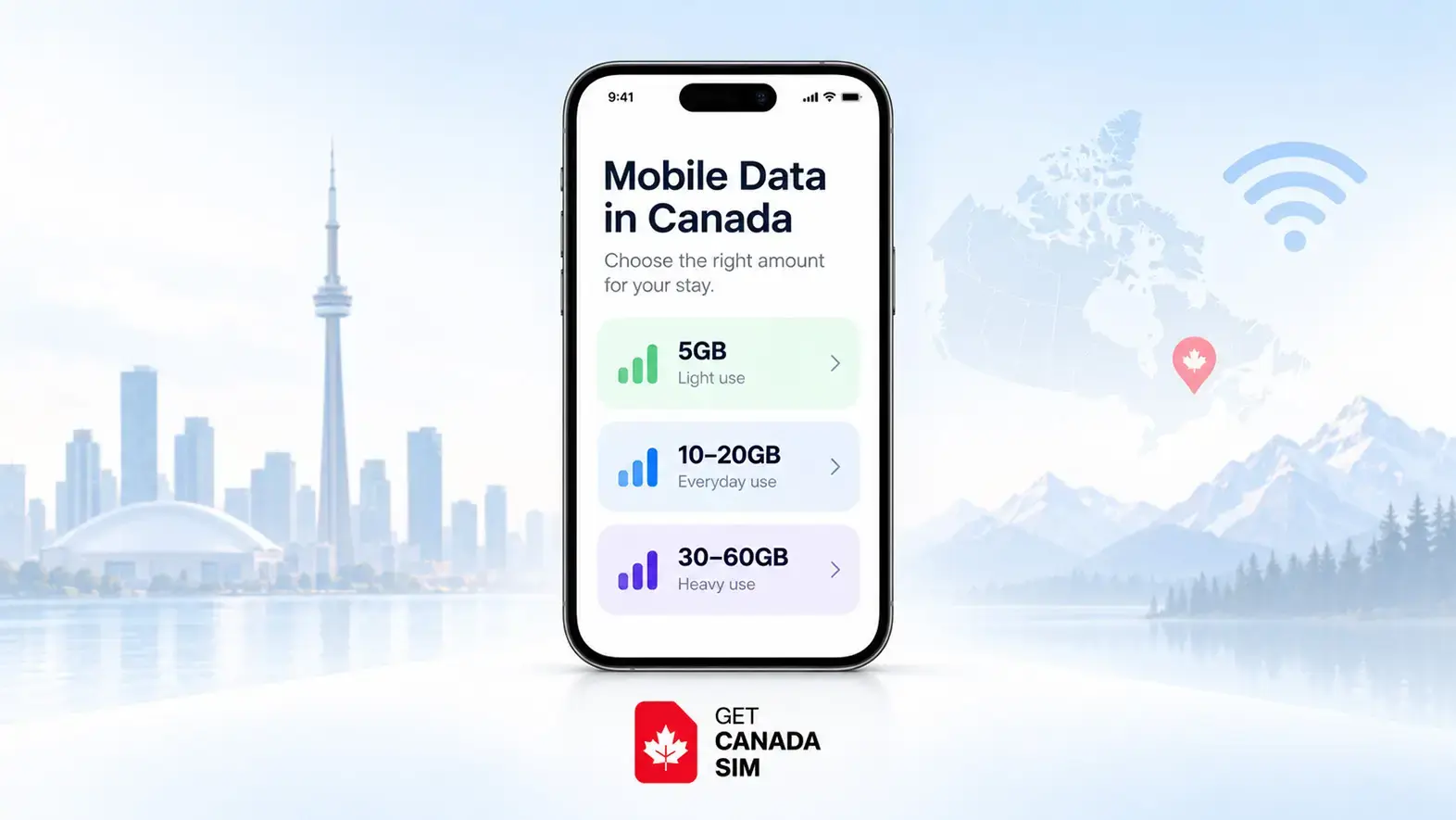
For many people in Canada, 10–30 GB of mobile data per month is enough if they regularly have Wi-Fi at home, work, university, or their hotel.
You may need 30–60 GB if you spend more time away from Wi-Fi, watch social video every day, make video calls, or stream music while travelling.
Consider 60 GB or more if you regularly stream HD video, use your phone as a hotspot for a laptop, work remotely without reliable Wi-Fi, or expect your phone to temporarily replace home internet.
For context, Canadians with a mobile data plan used an average of 11.0 GB per month in the fourth quarter of 2025, according to Statistics Canada using CRTC data.
But an average should be a reference point, not your target.
At Get Canada Sim, our practical rule is:
Look at what you actually do on your phone → check how much Wi-Fi you will have → estimate your monthly use → add a reasonable buffer.
That gives you a much better answer than simply buying the plan with the biggest number.
Quick answer
| Your mobile habits | A useful starting range |
|---|---|
| Almost always on Wi-Fi | 5–10 GB/month |
| Regular everyday phone use | 10–20 GB/month |
| Social media + some video | 20–40 GB/month |
| Frequent video + little Wi-Fi | 40–60 GB/month |
| Heavy streaming or hotspot | 60–100+ GB/month |
| Laptop hotspot / temporary home internet | 75 GB+ may be worth considering |
These are planning ranges, not universal rules. Your actual usage can be much lower or higher.
Before choosing a number, it is worth understanding how to choose a phone plan in Canada based on your actual lifestyle instead of comparing data allowances alone.
1. How Much Mobile Data Do You Need for Canada?
If your question is “How much mobile data do I need in Canada per month?”, start with where your internet will come from during a normal day.
Someone who wakes up on home Wi-Fi, travels to an office with Wi-Fi, and returns home in the evening might barely touch mobile data.
Someone else may spend the entire day driving, studying between locations, working on job sites, using Maps, watching videos during breaks, and tethering a laptop.
Those two people should not buy the same plan.
A useful starting point is:
5–10 GB: light mobile use
10–20 GB: typical Wi-Fi-heavy use
20–40 GB: moderate use
40–60 GB: frequent streaming or limited Wi-Fi
60–100+ GB: hotspot, HD video, remote work, or very heavy use
So when asking “How many GB do I need on my phone per month?”, do not begin with the carrier.
Begin with your day.
Once you know your range, you can compare current Canadian SIM and eSIM plans by data, calling, texts, and other features.
2. Monthly Data Tiers: Which One Fits Your Life?
A data allowance becomes easier to understand when you connect it to a real person.
5–10 GB: light users
This can work if you:
- spend most of the day on Wi-Fi,
- mainly use WhatsApp or Messenger,
- check email,
- browse websites,
- use Maps occasionally,
- listen to downloaded music,
- and rarely stream video over mobile data.
For an international student living in residence with reliable campus Wi-Fi, for example, a smaller allowance may go much further than expected.
If that sounds like your situation, see our dedicated Canadian SIM guide for international students.
10–30 GB: enough for many everyday users
This range gives you more freedom away from Wi-Fi.
It suits people who regularly use:
- social media,
- Maps and transit apps,
- messaging,
- web browsing,
- music streaming,
- occasional video,
- video calls,
- and normal everyday apps.
It is also worth comparing this range with Canada's current 11 GB average mobile data usage per month rather than assuming everybody needs 50 GB or more.
30–60 GB: useful when Wi-Fi is less predictable
This range makes more sense if you:
- stream video regularly,
- spend long periods commuting,
- use TikTok, Instagram Reels, or YouTube heavily,
- frequently make video calls,
- do not yet have home internet,
- or occasionally use your phone as a hotspot.
A newcomer can use more data during the first month than later because their normal Wi-Fi routine may not exist yet.
If you are moving rather than visiting, our SIM guide for newcomers to Canada looks at that first-month situation in more detail.
60–100+ GB: heavy use and hotspot users
This level starts to make sense when your phone is doing work normally handled by Wi-Fi.
Think:
- laptop tethering,
- remote meetings,
- frequent HD streaming,
- large downloads,
- temporary accommodation without Wi-Fi,
- field work,
- or several hours online each day away from fixed internet.
For people arriving to work in Canada, hotspot capability can sometimes matter more than the headline data number. Our mobile guide for work-permit holders explains that use case.
3. How Much Data Do You Need in Canada for Travel?
For most short trips, you need much less data than someone living in Canada full time.
Is 10GB data enough for 2 weeks travel?
For many travellers, yes.
Ten gigabytes can be plenty for a two-week Canada trip if your main uses are:
- Google Maps,
- ride-hailing apps,
- WhatsApp,
- email,
- web searches,
- restaurant bookings,
- transit apps,
- occasional social media,
- and short voice or video calls.
It becomes less comfortable if you watch a lot of YouTube, Netflix, TikTok, Instagram video, or use your phone as a hotspot.
A useful two-week travel starting point is:
| Travel style | Suggested planning range |
|---|---|
| Wi-Fi-first traveller | 3–5 GB |
| Maps + messaging + social | 5–10 GB |
| Regular social video | 10–20 GB |
| Frequent streaming / hotspot | 20 GB+ |
These are planning estimates, not guarantees.
If you are visiting rather than moving, compare the different options in our Canada SIM card guide for tourists before buying a monthly plan you may not need.
How Much Mobile Data Do You Really Need for Travel?
Usually less than you think if your hotel, Airbnb, university residence, café, or family home provides Wi-Fi.
The biggest mistake is using travel days as though every hour is a mobile-data hour.
You may spend eight hours outside, but Maps, messaging, email, transit information, and occasional searches use data very differently from eight hours of video streaming.
That is why mobile internet in Canada for travelers should be planned around activities, not simply trip length.
If you want your Canadian service arranged before departure, see how Get Canada Sim setup works before you arrive.
Travelling from abroad? We also have country-specific preparation guides, including travelling from India to Canada, the Philippines to Canada, and Nigeria to Canada.
4. What Is the Average Mobile Data Usage Per Month in Canada?
The latest Statistics Canada telecom statistics report that Canadians with a data plan used an average of 11.0 GB of mobile data per month in Q4 2025.
That was up from 9.3 GB in Q4 2024.
So if you're wondering:
How many GB does a normal person use per month?
There is no single “normal” person, but 11 GB per month is a useful current Canadian benchmark.
Do not interpret that as saying everyone should buy an 11 GB plan.
Averages combine:
- people who barely use cellular data,
- moderate users,
- commuters,
- students,
- workers,
- heavy video users,
- and people with very large plans.
Your own Wi-Fi access can easily matter more than the national average.
5. A Simple “How Much Mobile Data Do I Need in Canada” Calculator
You do not need a complicated calculator.
Use this formula:
Daily mobile use × number of days = monthly use
Then add a buffer for days when you use more than usual.
For streaming activities:
Hours per day × GB used per hour × days = estimated monthly data
Example
Imagine you watch about 30 minutes of HD Netflix each day using mobile data.
Netflix says HD can use up to 3 GB per hour.
Your estimate becomes:
0.5 hours × 3 GB × 30 days = 45 GB
Video alone could therefore use about 45 GB that month.
Add social media, browsing, music, Maps, app updates, and other activities, and a 60 GB allowance suddenly makes sense.
Now imagine the same person watches Netflix only at home on Wi-Fi.
That 45 GB disappears from their mobile-data calculation.
That is why a how much mobile data do I need in Canada calculator must include Wi-Fi. Without that, the result can be badly misleading.
Get Canada Sim's simple method
If you already have a smartphone plan:
- Open your carrier app or phone data settings.
- Check your last 2–3 months of actual cellular usage.
- Ignore unusual months where possible.
- Take your typical usage.
- Add some room for higher-use days.
- Add extra if you expect less Wi-Fi after arriving in Canada.
That is usually more accurate than any generic online calculator.
6. How Much Data Does Your Phone Plan Need for Everyday Apps?
Different activities use dramatically different amounts of data.
Video is usually the important one.
| Activity | Relative mobile-data use |
|---|---|
| Text messaging | Very low |
| Low | |
| Basic web browsing | Low |
| Maps/navigation | Low to moderate |
| Music streaming | Moderate |
| Social media | Moderate to high |
| Video calls | Moderate to high |
| Short-form video | High |
| HD video streaming | Very high |
| 4K video | Extremely high |
| Hotspot/tethering | Depends on connected device |
Netflix provides a useful official example.
Its current estimates are:
| Netflix quality | Data per hour |
|---|---|
| Low | Up to 0.3 GB |
| Medium | Up to 0.7 GB |
| Standard definition | Up to 1 GB |
| HD | Up to 3 GB |
| 4K | Up to 7 GB |
That single table explains why two people with the same screen time can need completely different phone plans.
7. Is 1GB Enough to Watch Netflix?
Yes, but how long it lasts depends heavily on video quality.
Using Netflix's published figures:
| Netflix setting | Approximate viewing from 1 GB |
|---|---|
| Low | About 3 hours 20 minutes |
| Medium | About 1 hour 25 minutes |
| Standard definition | About 1 hour |
| HD | About 20 minutes |
| 4K | About 8–9 minutes |
Netflix's official data controls are explained in its data-usage guide.
This is also why video quality matters almost as much as viewing time.
Watching an hour of low-quality video and an hour of 4K video are not remotely the same thing from a data perspective.
8. Is 60GB of Data Enough for a Month?
For most smartphone users, 60 GB is a large monthly allowance.
It should be comfortable for people who use social media, Maps, music, messaging, browsing, and some video while also having regular Wi-Fi.
But 60 GB can disappear surprisingly quickly if you stream HD or 4K video over cellular.
How long does 60 GB of data last?
Using Netflix's published maximum data rates:
| Activity | Roughly how long 60 GB could last |
|---|---|
| Netflix Low | 200 hours |
| Netflix Medium | About 86 hours |
| Netflix SD | 60 hours |
| Netflix HD | 20 hours |
| Netflix 4K | About 8.5 hours |
So the answer to “Is 60GB of data enough for a month?” is:
Usually yes for normal smartphone use. Not necessarily if mobile data is replacing Wi-Fi.
A person streaming one hour of Netflix HD every day could theoretically use close to 90 GB in a 30-day month from Netflix alone.
9. Is 30 GB of Data a Month a Lot?
Thirty gigabytes is well above Canada's current average mobile usage of 11 GB per subscriber with a data plan.
For someone with reliable Wi-Fi, 30 GB can be generous.
It can comfortably support normal daily use such as:
- browsing,
- Maps,
- social media,
- messaging,
- email,
- music,
- and some video.
But 30 GB is not particularly large if you regularly stream HD video or tether a laptop.
Again, the number alone means very little without the activity.
10. Is 5GB a Lot of Data per Month?
Five gigabytes is a relatively small allowance compared with the current Canadian average, but it can still be enough for a light user.
A 5 GB plan can work if:
- you have Wi-Fi at home,
- you have Wi-Fi at work or school,
- you download music beforehand,
- you avoid cellular video streaming,
- and mobile data is mainly for Maps, messaging, email, and light browsing.
Community discussions show this kind of user genuinely exists. In one Canadian personal-finance discussion, a user said they generally used around 5 GB because most of their activity happened on Wi-Fi and cellular data was mainly needed for Maps.
That is an anecdote, not a national benchmark, but it illustrates the point well:
Wi-Fi habits can matter more than how many hours you use your phone.
11. What Uses the Most Mobile Data?
Video is usually the biggest data user.
The activities most likely to drain an allowance quickly are:
- 4K and HD video streaming
- Short-form social video
- Video calls
- Using your phone as a hotspot
- Cloud photo/video backups
- Large app or operating-system updates
- Automatic video playback in social apps
- High-quality or lossless audio streaming
YouTube itself notes that selecting Higher picture quality uses more data, while its Data Saver setting reduces quality to use less.
Spotify similarly recommends Wi-Fi, downloads, lower media quality, and its Data Saver option when users want to reduce cellular usage.
What drains data the most?
If your allowance suddenly disappears, check video, hotspot, backups, and downloads first.
Those are more likely to explain a large jump than email or normal text messaging.
12. Music Can Add Up Too
Audio uses much less data than video, but hours of daily streaming can still add up.
Spotify lists approximate bitrates of:
- 96 kbit/s for Normal quality,
- 160 kbit/s for High,
- and 320 kbit/s for Very High Premium audio.
At roughly 160 kbit/s, an hour of music works out to around 72 MB.
If you stream an hour every day for 30 days:
72 MB × 30 ≈ 2.2 GB
That is manageable for most medium-data plans.
But higher-quality and lossless audio consume more.
Downloading playlists over Wi-Fi before commuting can reduce that mobile usage substantially.
13. How Many Photos Is 5GB of Data?
This question mixes two different things:
storage and mobile data.
If one photo is roughly 3–5 MB, then 5 GB of storage might hold somewhere around 1,000–1,700 photos.
But modern phone photos vary widely depending on:
- resolution,
- camera,
- HEIF vs JPEG,
- Live Photos,
- editing,
- RAW mode,
- and other settings.
More importantly, keeping 5 GB of photos on your phone does not mean you used 5 GB of cellular data.
Mobile data is used when those photos are:
- uploaded to iCloud or Google Photos,
- downloaded,
- sent through an app,
- or synced over the internet.
If 5 GB of photos are backed up using cellular data, that upload can consume roughly 5 GB of your allowance, plus normal network overhead.
For that reason, photo backup is one of the first settings worth checking if your mobile usage looks unexpectedly high.
14. Does My Data Get Used When My Phone Is Off?
If your phone is fully powered off, it cannot use mobile data.
But there is an important difference between:
phone off
and
screen off.
When the screen is locked but your phone remains powered on, apps and system services may continue using cellular data in the background.
Examples include:
- email syncing,
- photo backup,
- messaging,
- cloud storage,
- app refresh,
- software downloads,
- notifications,
- and music or podcast downloads.
So if you wake up and notice your data allowance has fallen, the phone did not necessarily need to be actively in your hand.
15. How Do I Stop My Phone From Using So Much Data?
Start with the biggest sources rather than trying to save a few megabytes everywhere.
1. Use Wi-Fi for large downloads
Download:
- apps,
- software updates,
- movies,
- playlists,
- podcasts,
- and offline maps
before you leave Wi-Fi.
Google Maps allows areas to be downloaded for offline navigation, although some live features such as traffic and transit information require an internet connection.
2. Lower video quality
Do not stream HD or 4K over cellular unless you actually need it.
Netflix, YouTube, and similar services provide lower-data options.
3. Turn off cellular photo backup
Check iCloud Photos, Google Photos, OneDrive, Dropbox, and any other automatic backup service.
4. Stop automatic app updates over mobile data
A single large game or operating-system update can consume more data than days of messaging.
5. Use your phone's data-saving mode
On iPhone, Apple's Low Data Mode reduces background network use, pauses automatic updates and backups, and can lower streaming quality.
Android phones also provide mobile-data controls and per-app usage settings, although the exact menu depends on the manufacturer.
6. Check your hotspot
If your laptop connects to your phone, it may behave as though it is connected to normal Wi-Fi.
That can trigger:
- cloud sync,
- software updates,
- large browser downloads,
- video meetings,
- and file transfers.
This is one of the easiest ways to use tens of gigabytes without realizing it.
16. How Many GB of Data Do I Need for Home Internet?
Mobile data and home internet are different decisions.
A 30 GB or 60 GB phone allowance can feel large on a smartphone but very small when several devices begin using it like home Wi-Fi.
Imagine connecting:
- a laptop,
- TV,
- tablet,
- game console,
- and several phones
to the same connection.
Now add HD or 4K streaming.
Netflix says just one hour of 4K can use up to 7 GB.
At that rate, 60 GB could disappear in fewer than nine hours of viewing.
So if your question is “How many GB of data do I need for home internet?”, a normal capped mobile allowance is usually the wrong benchmark.
For regular household streaming, remote work, gaming, multiple devices, and large downloads, a high-cap or unlimited fixed home-internet service is generally more appropriate.
Mobile hotspot works better as:
- temporary internet,
- backup connectivity,
- travel internet,
- or occasional laptop access.
17. Canada Cell Phone Plans: A Newcomer's Guide to Data
A newcomer's first month can be unusual.
You may spend more time than normal using:
- Maps,
- transit apps,
- rideshare,
- apartment listings,
- video calls home,
- email,
- document uploads,
- job websites,
- messaging,
- and hotspot.
You may also be staying in temporary accommodation where Wi-Fi is poor or unavailable.
Because of that, someone moving to Canada may reasonably want a larger buffer during the first month than they will need after settling into a normal routine.
Once home and work Wi-Fi become predictable, actual cellular use may drop substantially.
This is why our broader guide to choosing a Canadian phone plan recommends choosing around your situation—not simply buying the largest available data bucket.
18. What About WhatsApp Calls and Calling Home?
WhatsApp messages use relatively little data compared with video.
Video calls use more.
If most of your family communication happens through WhatsApp, Messenger, Signal, FaceTime, or another internet service, mobile data matters more than traditional international voice minutes while you are away from Wi-Fi.
Our guide to using WhatsApp in Canada with your existing number explains that setup.
If you are deciding between app calls, VoIP, and normal international calling instead, see our guide to the best ways to call home from Canada.
19. What Happens When You Use All Your Data?
It depends on the plan.
When you reach your high-speed data allowance, one of several things can happen:
- mobile data stops,
- you can buy additional data,
- overage charges apply,
- or your connection continues at a slower speed.
Check the exact plan before assuming what happens.
In Canada, the CRTC says wireless providers cannot charge more than $50 in data overage fees in one billing cycle unless the account holder or authorized user explicitly agrees to additional charges.
You can read the regulator's official guidance on mobile data usage and overage fees.
That protection does not mean you should ignore your allowance.
Monitoring usage before you hit the limit is still the better option.
20. Does a Bigger Data Plan Automatically Mean a Better Phone Plan?
No.
This is an easy mistake to make in Canada because carriers often advertise large data buckets.
Whether you compare Rogers, Fido, Chatr, Koodo, Public Mobile, Freedom Mobile, or another provider, 100 GB is not automatically better than 30 GB if you only use 8 GB.
Look at:
- monthly price,
- actual data use,
- coverage,
- speed,
- hotspot support,
- prepaid vs postpaid,
- roaming,
- calling,
- texts,
- expiry or renewal,
- and what happens after the high-speed allowance.
Our Canadian prepaid SIM comparison explains these differences across several Canadian brands.
More data has value only when you actually need it.
21. What Real Mobile Users Teach Us
Real-life examples show why a national average cannot make the decision for you.
In one Canadian Reddit discussion, a person who worked from home said their mobile usage had remained only a few gigabytes because they spent most of their time around Wi-Fi.
In another discussion, someone working 12-hour shifts in a location without Wi-Fi said a much larger 75 GB allowance made sense because their working environment was completely different.
Neither example tells you what you should buy.
Together, they illustrate the useful lesson:
Wi-Fi availability and behaviour explain data needs better than labels such as “student,” “worker,” or “average user.”
22. How Much Smartphone Data Do I Need?
Use this checklist.
Start around 5–10 GB if:
- Wi-Fi is almost always available.
- You rarely stream video using cellular.
- Maps, messages, and email are your main mobile uses.
Consider 10–30 GB if:
- you use social media every day,
- stream music,
- watch occasional videos,
- use Maps regularly,
- and want enough room not to constantly monitor data.
Consider 30–60 GB if:
- Wi-Fi is unreliable,
- you regularly watch video away from home,
- make frequent video calls,
- or spend much of the day away from fixed internet.
Consider 60 GB+ if:
- you hotspot a laptop,
- stream lots of HD video,
- work remotely using cellular,
- or need your phone to act as temporary internet.
If you still cannot tell how much data would you use, check your current phone's data statistics.
Your own history is more valuable than an online average.
FAQ - (How Much Mobile Data Do You Need for Canada?)
How Much Data Do I Need for Canada?
For many people, 10–30 GB per month is a sensible starting range if they have regular Wi-Fi. Heavy video users, hotspot users, and people without reliable home internet may need 40–60 GB or considerably more.
How Much Data Do You Need in Canada for Travel?
For a one- or two-week trip, 5–10 GB can be enough for Maps, messaging, bookings, browsing, and moderate social media. Increase that if you regularly stream video or use a hotspot.
How Much Data Do I Need for Canada Travel if I Am Staying One Month?
A Wi-Fi-heavy traveller may be comfortable with 10 GB or less. Someone using mobile data daily for social media, video, navigation, and calls may prefer 20–30 GB or more.
If you need mobile service throughout the trip, you can also compare current plans against your estimated usage rather than buying purely by trip length.
Is 10GB Enough for 2 Weeks in Canada?
Often yes.
Ten gigabytes is usually reasonable for Maps, messaging, email, bookings, browsing, and moderate social media during a two-week trip.
Heavy video streaming changes the answer quickly.
Is 30 GB of Data a Month a Lot?
It is well above the current Canadian average of 11 GB per month for subscribers with a data plan. For someone with normal Wi-Fi access, 30 GB can provide plenty of room.
Is 60 GB of Data Enough for a Month?
For most normal smartphone use, yes.
It may not be enough if you regularly stream HD or 4K video, hotspot other devices, or use mobile data as a replacement for home internet.
Is 5GB a Lot of Data per Month?
It is a relatively small allowance, but it can be enough for someone who is mostly on Wi-Fi and mainly uses cellular data for messaging, Maps, email, and light browsing.
What Uses the Most Mobile Data?
Video streaming, short-form social video, video calls, hotspot use, cloud backup, and large downloads are usually the biggest sources.
What Drains Data the Most Without Me Noticing?
Background photo backup, app updates, autoplay video, cloud syncing, and devices connected to your hotspot can all use large amounts of data without you actively watching the usage meter.
Does My Data Get Used When My Phone Is Off?
No, not when the phone is completely powered down.
If only the screen is off, the phone can still use background mobile data.
What Happens When You Use All Your Data?
It depends on your plan. Service may stop, slow down, offer a data add-on, or charge overage fees. Check the terms of the specific plan.
How Do I Stop My Phone From Using So Much Data?
Use Wi-Fi for downloads, lower video quality, turn off cellular cloud backups and automatic updates, download maps and music in advance, use your phone's data-saving settings, and check which apps use the most cellular data.
How Many Photos Is 5GB of Data?
If you mean storage, roughly 1,000–1,700 ordinary 3–5 MB photos could fit in 5 GB, although actual photo size varies significantly.
If you mean mobile data, simply storing those photos uses no cellular data. Uploading or downloading them does.
So, How Much Data Do You Need?
For most people, the answer is not “as much as possible.”
It is:
Enough data for the hours when Wi-Fi is unavailable.
A useful starting framework is:
5–10 GB → light, Wi-Fi-first use 10–30 GB → everyday use 30–60 GB → frequent mobile internet and video 60–100+ GB → heavy streaming, hotspot, or limited Wi-Fi
Canada's current 11 GB average gives you a useful reference point, but your own habits are the better guide.
Before choosing, check:
Where will I have Wi-Fi? How much video will I watch? Will I hotspot another device? Am I visiting for two weeks or moving for years? What did I actually use last month?
Answer those five questions and your data decision becomes much easier.
When you're ready, compare Canada SIM and eSIM plans by their actual inclusions rather than choosing the largest number on the page.
Follow Get Canada Sim on Google
Make Get Canada Sim a preferred source to find our latest Canada SIM and eSIM guides in Google Search.