

Will My Phone Work in Canada? Compatibility and IMEI Check Guide
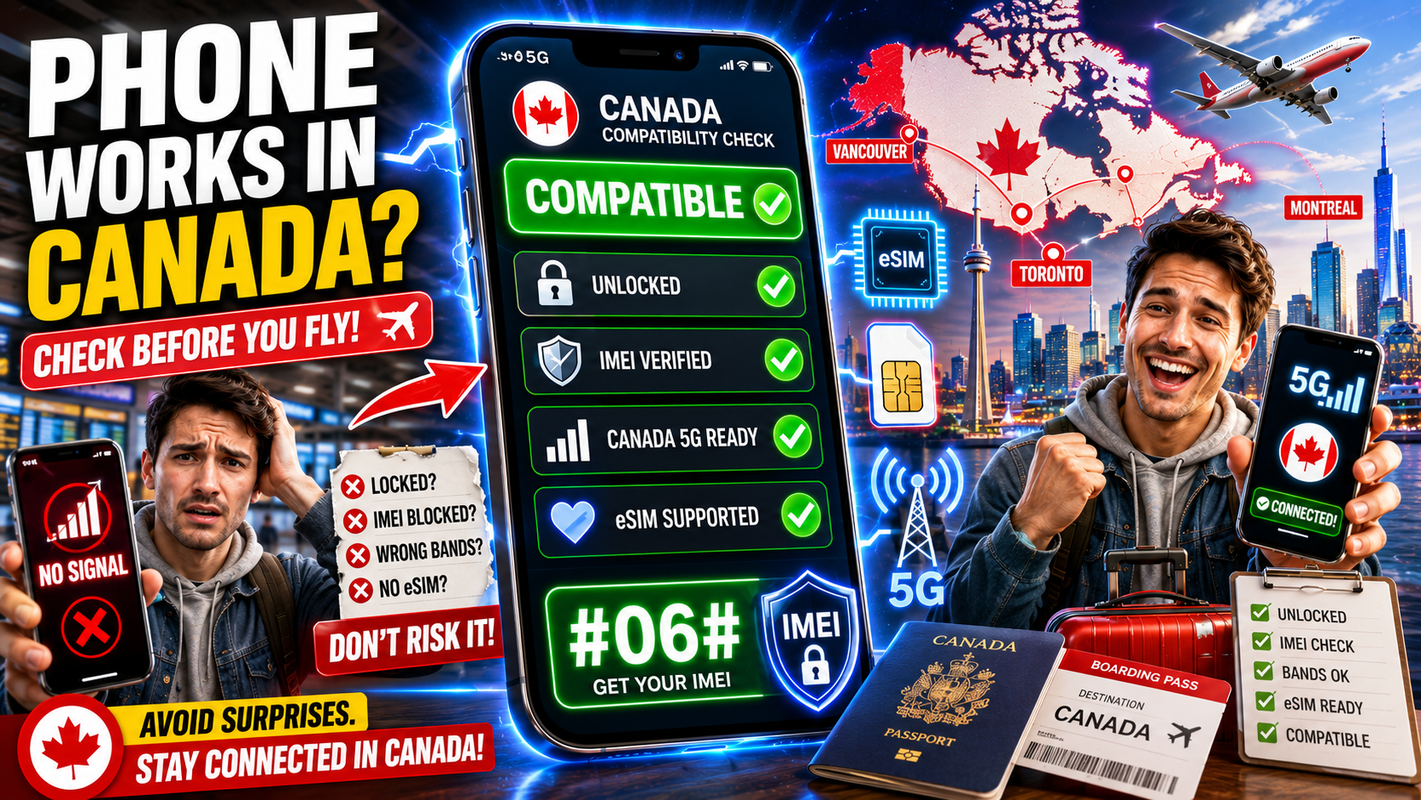
Most modern smartphones work in Canada, but you should confirm three things before you fly: that your phone is unlocked, that it supports Canadian network bands, and that its IMEI is clean. A quick check takes a few minutes and saves you from landing with a phone that won't connect. Here's how to do each step.
Quick note: your IMEI is a unique 15-digit ID for your phone. Dial *#06# on any phone to see it instantly.
Key takeaways
- A phone bought in the last few years usually supports Canadian bands, but check to be sure.
- Your phone must be unlocked — not tied to one carrier — to use a Canadian SIM.
- Dial *#06# to find your IMEI, then use it to check unlock and compatibility.
- eSIM support matters if you want to activate a digital SIM instead of a plastic one.
- When unsure, check your model's specs against the carrier's supported bands and understand Canadian network coverage before relying on your phone in a specific area.
Will my phone work in Canada?
Most unlocked smartphones from recent years work in Canada without trouble. Canadian carriers run on common global network technologies, so mainstream phones from major brands generally connect fine. The main things that stop a phone working are a carrier lock, missing network bands, or a blocked IMEI — all of which you can check before you travel.
If your phone is more than a few years old or was a budget model sold only in one region, it's worth checking the bands closely. Newer flagship and mid-range phones are usually safer bets, but exact compatibility still depends on the model and network.
If you're also deciding which Canadian network fits your needs, see the Rogers vs Bell vs Telus comparison.
How do I check my phone's IMEI?
Dial *#06# on your phone's keypad and your IMEI appears right away. It's a 15-digit number unique to your device. You can also find it in your phone's settings under "About phone," or on the original box. Write it down — you'll use it to check your unlock status and whether the device is reported lost or blocked.
Here's a simple pre-trip checklist:
- Dial *#06# and note your 15-digit IMEI.
- Ask your current carrier if your phone is unlocked, or check in your phone settings.
- Confirm your model supports Canadian network bands (check the spec sheet).
- Check whether your phone supports eSIM if you want a digital SIM.
- Test that you can insert a new SIM or add an eSIM before you leave.
What does "unlocked" mean and how do I unlock my phone?
An unlocked phone isn't restricted to a single carrier, so it accepts a SIM from any provider — including a Canadian one. A locked phone only works with the carrier that sold it. If yours is locked, you'll need to unlock it before a Canadian SIM will connect.
To unlock, contact your current carrier and ask them to unlock the device; many will do this once eligibility conditions are met. Our guide on unlocking your phone before flying to Canada walks through the steps and common conditions.
Which network bands do Canadian carriers use?
Canadian carriers use a mix of common LTE and 5G bands that most current phones support, but exact bands vary by carrier. Rather than memorise band numbers, match your phone model's spec sheet against the carrier's listed bands. Phones sold internationally by major brands usually cover the important ones.
| Check | Where to find it | Why it matters |
|---|---|---|
| Unlock status | Carrier or phone settings | A locked phone rejects a Canadian SIM |
| IMEI | Dial *#06# | Confirms identity and unblocked status |
| Supported bands | Phone spec sheet vs carrier | Missing bands mean weak or no signal |
| eSIM support | Phone settings or specs | Needed to use a digital SIM |
For official device and network information, check your carrier's coverage and device pages directly. You can also read Rogers 5G coverage in Canada for a sense of what modern networks offer.
If you're comparing the major networks rather than just checking Rogers, read Rogers vs Bell vs Telus: which network fits your needs?.
Does my phone need to support eSIM?
Only if you want to use an eSIM instead of a physical SIM card. Anyway, what is an eSIM? An eSIM is a digital SIM your phone downloads, so there's no plastic card to insert. Many recent phones support it, but not all, and some regional models have it disabled. If your phone doesn't support eSIM, a physical SIM still works fine.
If your phone doesn't support eSIM, a physical SIM may still be an option. Our eSIM vs physical SIM comparison explains which one may make more sense for your device and trip.
Once you've confirmed your phone is compatible, you can compare Canadian SIM and eSIM plans and choose the SIM type that works with your device.
Once you've confirmed compatibility, setting up is quick. See how it works and compare plans to choose between a physical SIM and an eSIM.
FAQ
How do I know if my phone is unlocked? Ask your current carrier, or check your phone settings — many phones show a "SIM lock" or "carrier lock" status. You can also try another carrier's SIM if you have one available. Check our full phone unlocking guide before travelling.
What if my IMEI is blocked? A blocked IMEI usually means the phone was reported lost, stolen, or has unpaid bills. Carriers may refuse to activate it. Resolve any outstanding issues with your original carrier before you rely on the phone in Canada.
Will an old phone work on Canadian networks? It might, but older phones sometimes lack newer bands, so signal can be weaker or absent in places. Check your model's supported bands against the carrier before assuming it'll work well. A newer phone is more likely to connect reliably.
Do I need to unlock my phone for a Canadian SIM? Yes, if it's locked to another carrier. A locked phone won't accept a Canadian SIM. Contact your current carrier to unlock it before you fly, since the process can take time.
Can I check compatibility without buying a plan first? Yes. You can confirm your IMEI, unlock status, and bands on your own before choosing anything. Doing these checks first means you buy a plan knowing your phone will work.
Not sure your phone is ready? Check phone compatibility and confirm your unlock status before you fly to Canada.
Follow Get Canada Sim on Google
Make Get Canada Sim a preferred source to find our latest Canada SIM and eSIM guides in Google Search.