

How to Use Dual SIM in Canada (Home Number + Canadian Number)
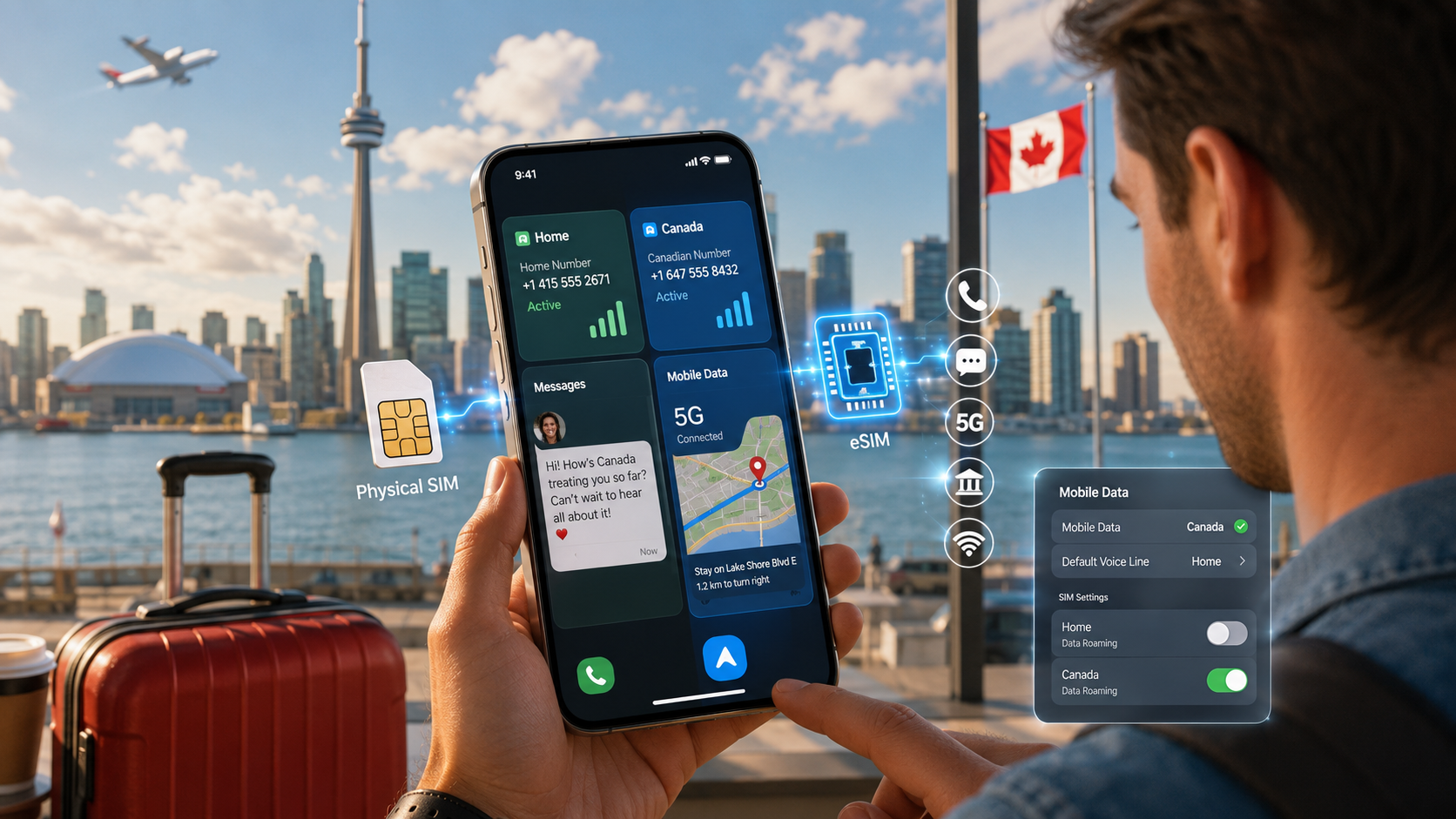
Dual SIM lets you run two numbers on one phone, so you can keep your home number for family and add a Canadian number for local calls and data. On most modern iPhones and Android phones, you use one physical SIM plus one eSIM, or two eSIMs. Dual SIM means your phone can hold two active lines at once. It's a simple way to stay reachable on both.
If you're new to the terminology, an eSIM is a digital SIM built into a compatible device, while a physical SIM is the removable card that fits into your phone's SIM tray. A Dual SIM phone can use different combinations depending on the model.
This guide shows how to set up dual SIM travel in Canada, how to control which line does what, and how to avoid surprise roaming charges.
Key takeaways
- Dual SIM runs two numbers on one phone at the same time.
- Keep your home number active for texts from family and banking codes; use a Canadian line for data and local calls.
- Most newer phones support one physical SIM + one eSIM, and many support two eSIMs.
- Set your Canadian line as the default for data to avoid home-country roaming fees.
- Turn off data roaming on your home line so it doesn't quietly use data.
- Before planning a two-line setup, check the current eSIM-compatible devices list, because SIM configurations can differ by phone model and region.
What is dual SIM and why use it in Canada?
Dual SIM is a phone feature that lets you use two SIM lines on one device at once. In Canada, it's popular with newcomers and travellers because you can keep your home number and add a local Canadian number without carrying two phones.
That combo covers the two things people need most: staying reachable on your usual number and having affordable local data and calls. To pick a Canadian line, you can compare plans and choose an eSIM or physical SIM that fits your stay.
If you specifically want your second line to include a callable Canadian number rather than just travel data, read the difference between a data-only product and a Canadian eSIM with a phone number. This matters because not every product marketed as a “Canada eSIM” includes calls, texts, and a Canadian number.
If you've already decided that the Canadian line should be digital, you can also review the current eSIM Canada options.
Does your phone support dual SIM?
Most phones from the last few years support dual SIM, usually as one physical SIM plus one eSIM. Some support two eSIMs. Older or budget phones may only take one SIM.
To check:
- On iPhone, look for eSIM support in Settings > Cellular. If you can add a plan there, you can run dual SIM.
- On Android, check Settings > SIM manager or your phone's spec sheet for "Dual SIM" or "eSIM."
- Confirm your phone is unlocked, since a locked phone can block a second carrier's SIM.
Don't rely only on the marketing name of the phone. Regional versions of the same device can have different SIM configurations. If you're unsure, the guide on how to know if your phone supports eSIM shows how to check for an EID, an Add eSIM option, and your exact model number.
If you're not sure your device works on Canadian networks, read our guide on whether your phone will work in Canada first.
And remember that eSIM-compatible and carrier-unlocked are two different things. A phone can contain eSIM hardware but still be restricted to its original carrier. If that's your situation, see how to unlock your phone before flying to Canada.
How do you set up dual SIM in Canada?
Set up your Canadian line as an eSIM and keep your home SIM in place. The general steps are:
- Keep your home SIM (physical or eSIM) active on the phone.
- Add your Canadian eSIM by scanning the QR code from your provider. Our eSIM activation guide walks through this.
- Label each line clearly, for example "Home" and "Canada."
- Set the Canadian line as your default for cellular data.
- Choose which line to use for calls and texts, or set it to ask each time.
- Turn off data roaming on your home line.
Once set, your phone shows two signal bars, one for each line. You can receive calls and texts on both numbers at the same time.
The labels are worth setting up properly. When both lines are active, names such as Home and Canada make it much easier to see which number you're using before placing a call, sending a message, or changing data settings.
How do you control which line is used for calls, texts, and data?
You choose a default line for each task in your phone's settings, and you can override it per call. This is the key to keeping costs down and staying reachable.
- Set data to your Canadian line, so browsing and maps use local data.
- Set calls and texts based on your needs. Keep your home line for family and verification codes; use the Canadian line for local calls.
- On iPhone, manage this under Settings > Cellular > Cellular Data and each line's settings. On Android, use SIM manager to pick defaults.
For any single call, you can pick the line before dialling, which is handy for international calls. To weigh calling options, see the best ways to call home from Canada.
If you're using an iPhone and want the phone-side settings explained in more depth, the newer guide on how to activate and manage an eSIM on iPhone covers adding the line, choosing labels, transfers, QR codes, and troubleshooting.
Home SIM vs Canadian SIM: what should each one do?
Here's a simple way to split the two lines while you're in Canada.
| Task | Home line | Canadian line |
|---|---|---|
| Receiving family calls/texts | Yes | Optional |
| Bank and app verification codes | Often yes | Optional |
| Mobile data and maps | Off (avoid roaming) | Yes |
| Local calls in Canada | No | Yes |
| Data roaming | Turn off | On if provider requires |
Keeping data on the Canadian line and roaming off on the home line is what prevents surprise bills. Roaming means using another network abroad, which your home carrier can charge a lot for.
How do you avoid roaming charges with dual SIM?
Turn off data roaming on your home line and use your Canadian line for all data. Your home number can still receive texts and calls without using data, but leaving its data roaming on can rack up charges quietly in the background.
A safe setup:
- Home line: data roaming off, kept for calls and texts you care about.
- Canadian line: set as default data, used for internet.
- Double-check both settings after you land.
If you're unsure whether keeping your existing service on roaming is worthwhile at all, the guide Do I Need an eSIM in Canada? compares the choice by traveller type and explains when a local Canadian line is useful and when you may not need one.
For a wider view of the roaming-versus-local-SIM choice, see our guide on using a US phone plan in Canada. To plan your setup, see how it works.
Is one physical SIM plus one eSIM better than two eSIMs?
Not necessarily. The better setup depends on your phone and how you travel.
Physical home SIM + Canadian eSIM can be convenient because you leave your existing SIM in the phone and add the Canadian line digitally.
Home eSIM + Canadian physical SIM can work just as well on a compatible device.
Two eSIMs remove the need for a physical card entirely, but your phone must support two active eSIMs at the same time.
If you're deciding which format you want for the Canadian line, the full eSIM vs physical SIM comparison for newcomers explains the practical differences.
The important thing is not to assume that “Dual SIM” means every possible combination works. Check the exact phone model first.
What happens when you call or text someone?
Your phone normally uses the default line you selected, although many devices remember which line you previously used with a particular contact.
Before an important call, check the line shown on screen.
For example:
Calling family abroad: you may choose the home line, a Canadian plan with international calling, or an internet calling app depending on the cost.
Calling a Canadian business: the Canadian line will normally be the simpler option.
Messaging: SMS follows the line selected for that conversation, while internet-based services such as WhatsApp use data rather than the SIM's SMS service.
This is why labeling both lines clearly during setup is more useful than it initially sounds.
FAQ
Can I use two eSIMs at the same time?
Many newer phones can store several eSIMs and use two lines at once, so yes on supported devices. Some phones hold multiple eSIM profiles but only keep two active together. Check your phone's specs for how many eSIMs it supports simultaneously before you rely on a two-eSIM setup.
Will keeping my home SIM in cost me money?
Not just by being in the phone. Receiving texts is usually free, but making calls or using data while roaming can cost a lot. The safe move is to keep the home line for incoming texts and calls, turn its data roaming off, and use your Canadian line for internet.
Can I still get bank codes on my home number?
Yes. If your home line is active, it can receive SMS verification codes as normal, as long as your home carrier delivers texts while you're abroad. This is a common reason people keep the home line on a dual SIM setup. Test it early so you're not locked out later.
Do I need a physical SIM for dual SIM, or is eSIM enough?
Either can work. A common setup is your home physical SIM plus a Canadian eSIM. If your phone supports two eSIMs, you can go SIM-free entirely. An eSIM is a digital SIM built into the phone, so there's no card to insert. Choose based on your phone and provider.
Which line should be my default for data in Canada?
Your Canadian line. Setting it as the default for cellular data means browsing, maps, and apps use local data instead of expensive home-country roaming. You can still receive calls and texts on your home line at the same time. Just remember to switch data back when you return home.
Ready to run two numbers at once? Compare plans for a Canadian eSIM, then follow our eSIM activation guide to finish setup.
For device help, see Apple's page on using dual SIM.
Follow Get Canada Sim on Google
Make Get Canada Sim a preferred source to find our latest Canada SIM and eSIM guides in Google Search.